Fabric Apps (Preview) just came out and has created a lot of excitement. Mainly because you can build whatever you can dream of on top of your fabric data infrastructure.
What is it?
Think of a Fabric App as two pieces: a code-first front end (TypeScript/React) sitting on top of a Fabric data layer. the app talks to a semantic model you already have, using DAX. Or it spins up a fresh database for you and hands you an API to talk to it (GraphQL).
Security?
To view the app everyone signs in with their normal work account (Entra ID). No external users. No anonymous access. It never leaves your organization. And Row Level Security would be inherited from the data source the App is pointed at.
Why?
1. Write-back. A report is read-only - it shows data, it never changes it. A Fabric App can write back to your data. Approvals, data entry, planning, budget edits, "click to update the forecast." The stuff you used to duct-tape together with Power Apps + Power Automate. Now it's native.
2. Custom UX with no ceiling. A report lives on the Power BI canvas - you get the visuals Microsoft gives you. An app is code (React), so the interface is whatever you can build. You trade easy-to-build for unlimited flexibility.
3. Act, don't just look. Reports tell you what happened. Apps let someone do something about it in the same place - read and write in one experience. No more export to Excel, decide, re-enter somewhere else.
4. Embedded analytics, minus the pain. A data app talks to your semantic model with DAX - hosting, auth, and RLS all handled by Fabric. No embed tokens, no extra infrastructure.
Why Not?
A Power BI report is probably still the answer for most analytical needs. It's simpler, more mature, faster to build, and you don't need to write code.
1. You have to code. or vibe code your way to an app and hope everything works. No canvas, no drag-and-drop, no formatting pane. This is a different sport than building Power BI reports.
2. It's still preview. Announced at Build 2026, not generally available. That means bugs, breaking changes, and features that can shift under you.
3. What is it gonna cost. whether viewers need a Pro license, how it burns capacity - all still fuzzy.
4. Tenant-only. Sign-in runs exclusively through your org's Entra ID. No external users, no anonymous access. So the classic "embed a dashboard for my customers" use case? Still needs Power BI Embedded. Apps can't do it yet.
5. Region-limited. Not available everywhere yet.
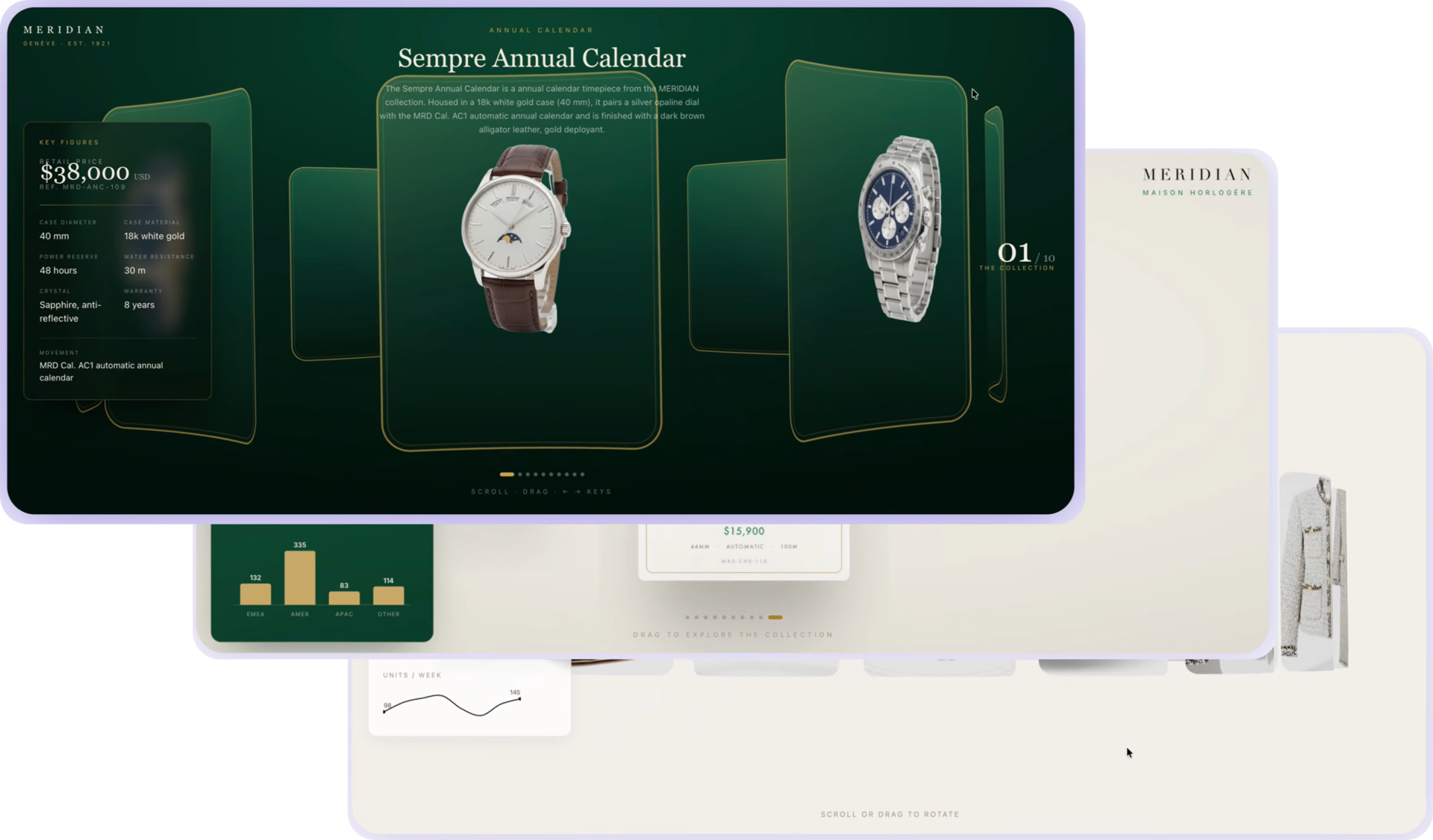
For this walkthrough I'm going end to end: build a 3D product carousel with React Three Fiber - luxury watches as the product line - then wire it to a live database in Fabric. Frontend first, backend connection at the end. Roughly one and a half to two hours, including a few rounds of refinement.
Initial setup
Nothing fancy, but a few things need to be in place first.
Admin (Power BI Admin Portal):
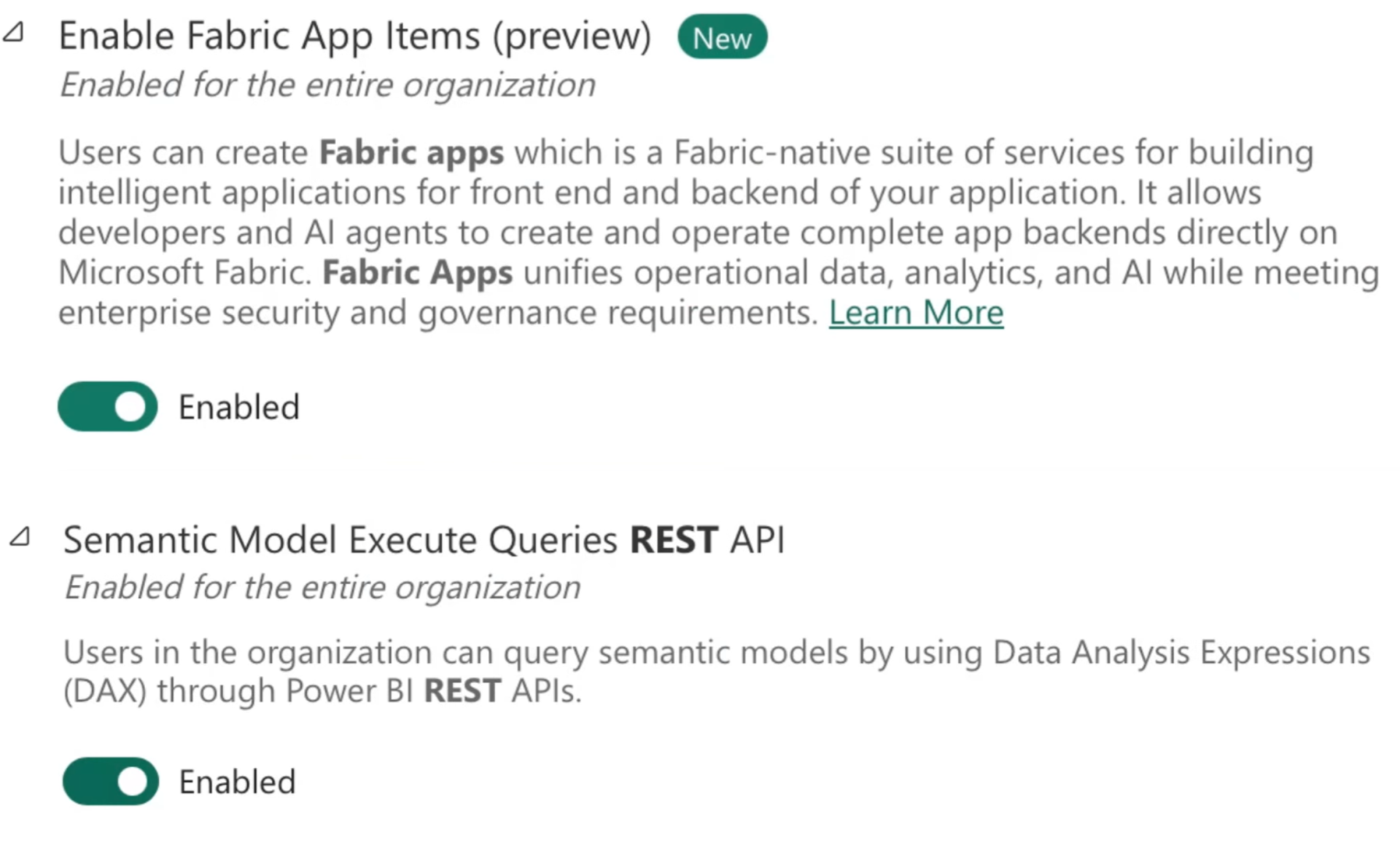
- Enable Fabric Apps (preview)
- Enable REST API for semantic model query execution — needed if the app should read Fabric data
Fabric workspace:
- Create or use a workspace (trial works fine)
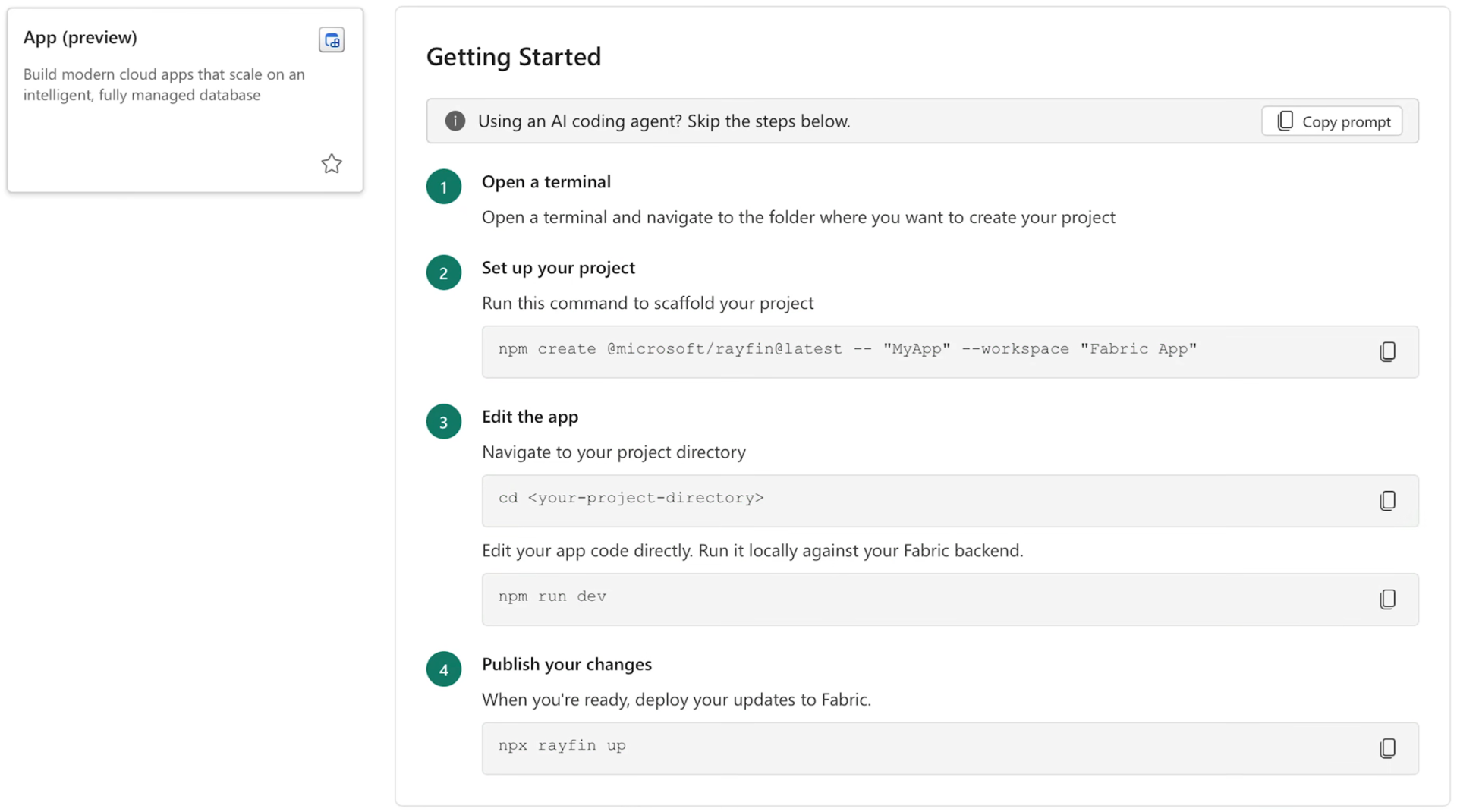
- New item → App (preview) → name it, create it
- Copy the init command from the app creation screen
Local (VS Code):
- Create a folder, open it in VS Code, paste the init command in the terminal
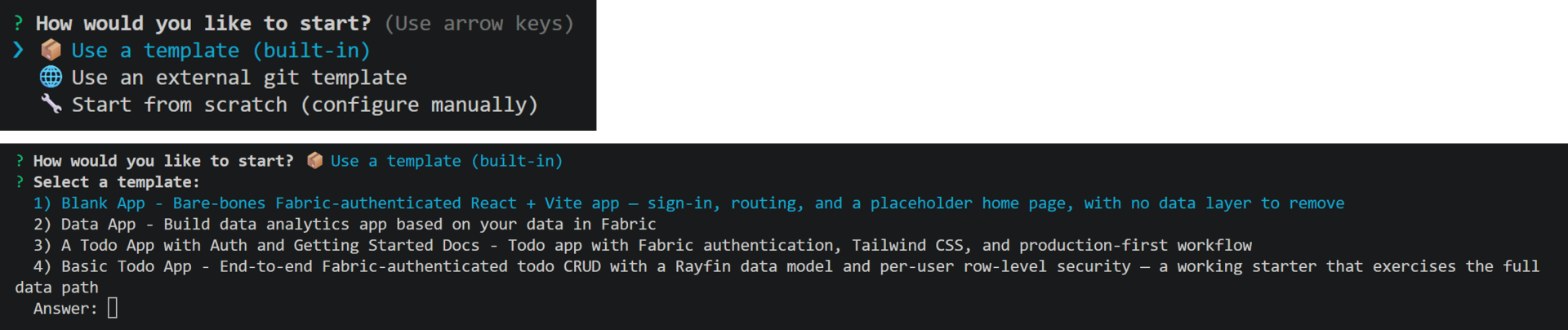
- Choose template → Data app - the template Microsoft recommends for apps that read and display Fabric data. It comes with the key pieces already wired: authentication, data connections, and the structure an AI agent would otherwise have to figure out from scratch. Starting without it means more errors and more back-and-forth.
- cd into the app folder, run npm run dev - localhost opens for live preview
- Connect Claude Code, Copilot, or Codex and start prompting
At that point you have the shell: empty app, dev server running, ready to build.
What I actually built
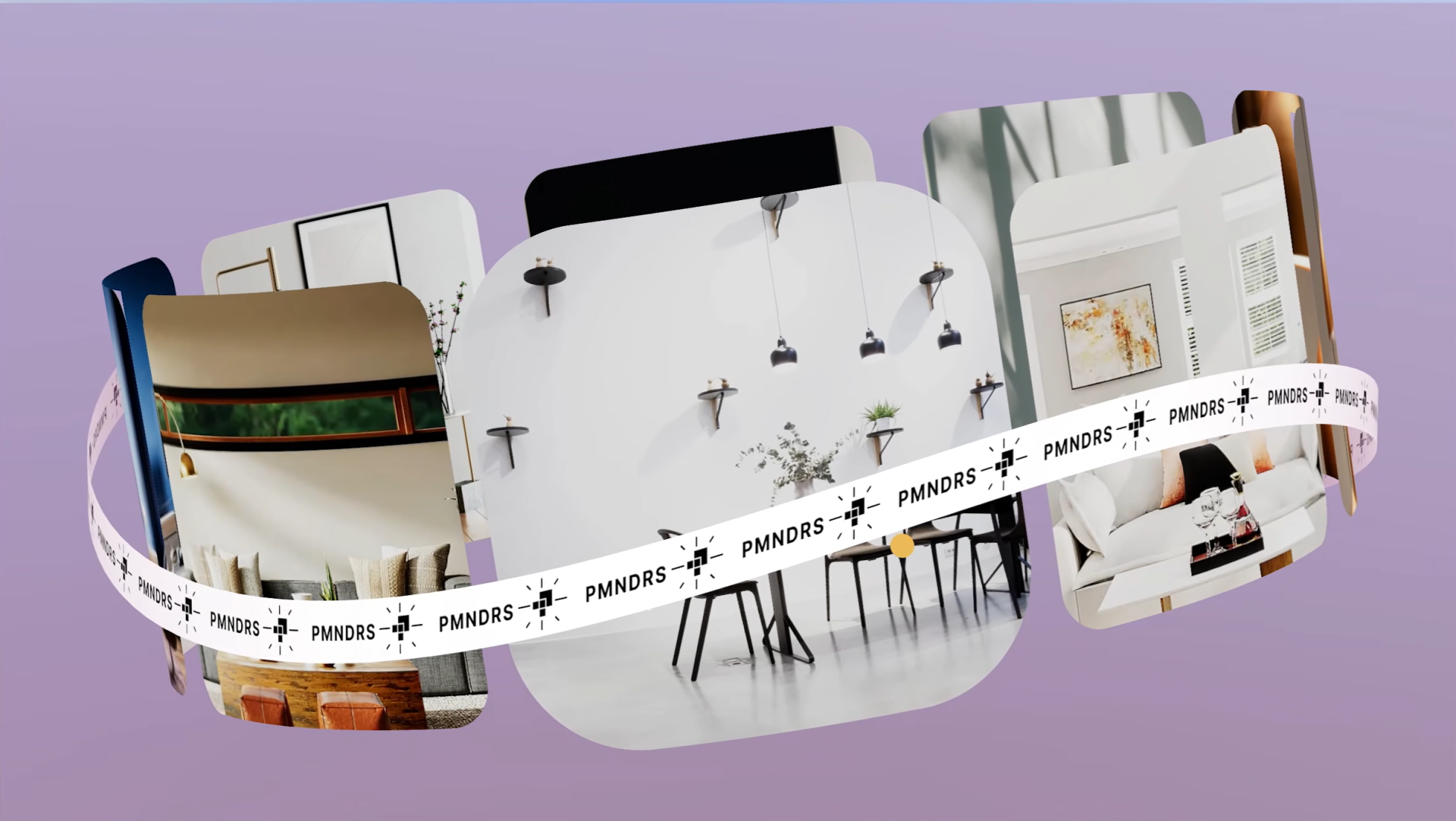
I used a React Three Fiber demo as inspiration - a 3D carousel where products sit on a ring and respond to how you move through them. A good fit for showcasing a small product catalog with something more interactive than a static page.
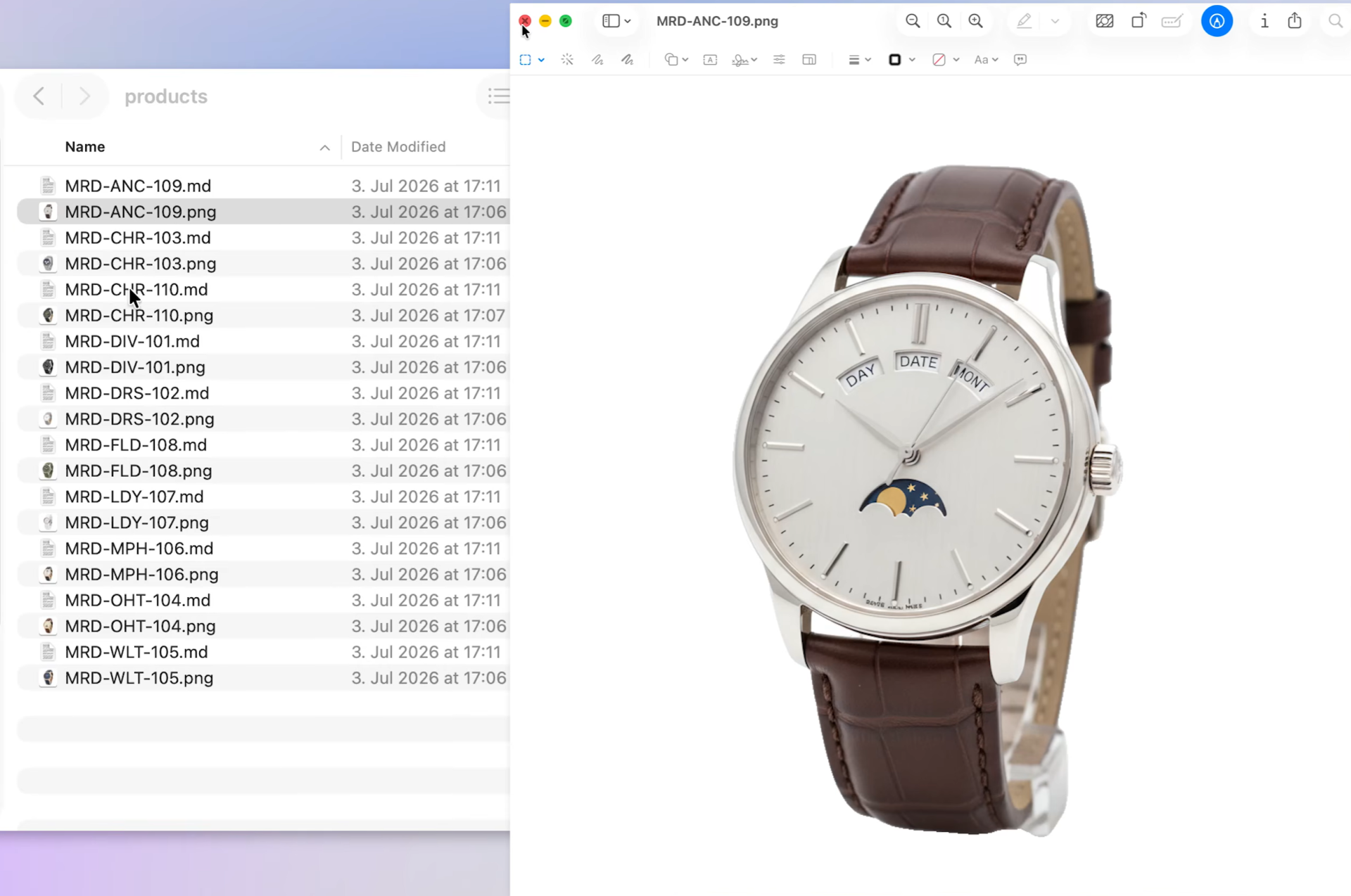
For product content I used AI-generated watch images and descriptions in a local folder. Quick for prototyping; in a real project that data would live in Fabric from the start.
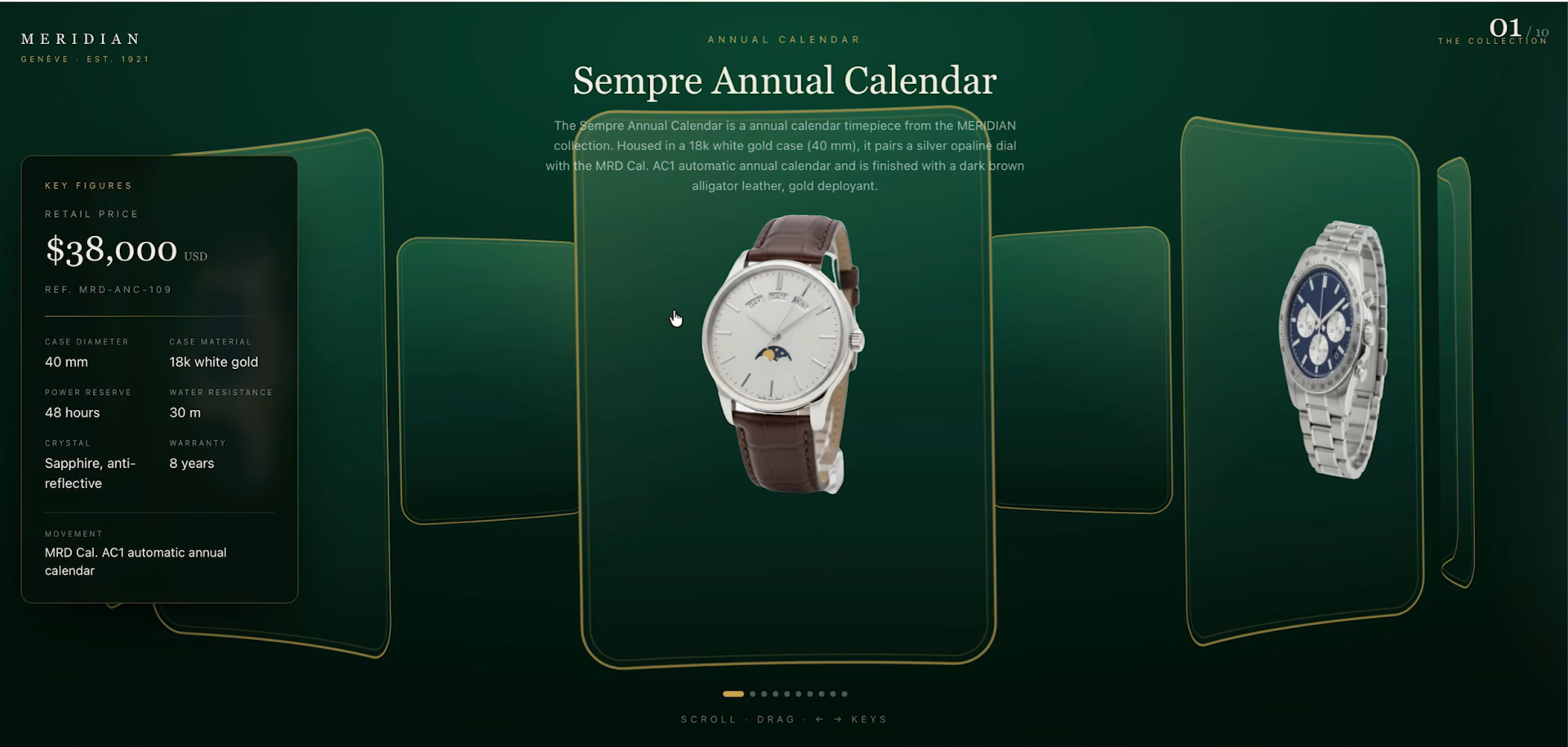
From the first prompt, hover showed product details and the carousel moved - a solid starting point, but not the final look. So I pushed on design: more premium feel, scroll and arrow keys, a KPI panel on the left, product name and description at the top.
A couple of prompt rounds and it got there. That's the rhythm - you go back and forth until it matches what you had in mind.
Connecting to Fabric data
Until then the app was frontend-only, reading local files. Next step: hook it to Fabric -database, seeded product data, app reading from it.
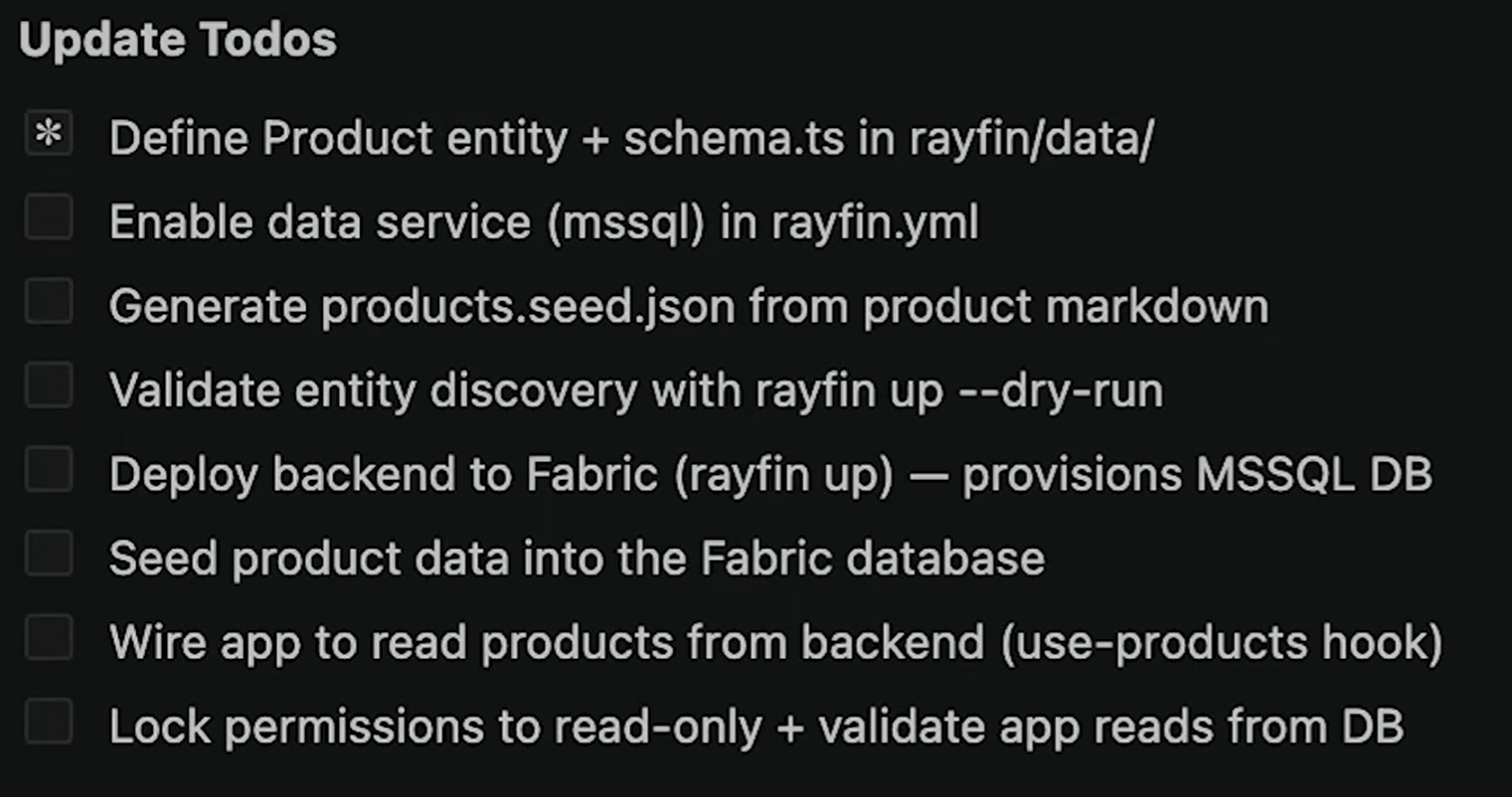
I asked AI to set up the backend with a database in Fabric that feeds the product data into the app. It handled schema, Fabric setup, deploy, wiring, and permissions. The app showed up in the workspace with an SQL database behind it.
One snag: tables were empty, the app wasn't pulling from them. Turned out to be authentication. Fixable, but the kind you only learn by running through it once.
What stood out?
The template handles the foundational setup, prompting gets you a real UI quickly, and a single backend ask can kick off the whole data layer. What still needs patience: visual refinement, and knowing you own the code when something doesn't behave.
Roughly one and a half to two hours, including a few rounds of refinement. Not production-ready without more polish, but enough to show the full path: scaffold, build the UI, connect Fabric data, fix the issue that blocks you.
You can also build a semantic model first and put the Fabric app on top - both paths work. Reports and Fabric Apps complement each other: one for analysis, one for experiences that need to go further.
If you've been curious what Fabric Apps can do in practice, this is a good weekend experiment.
Hope you like it!
Give it a try and see how it works for you! I’d love to hear what you think or see how you use this trick in your own reports.