1. Gantt chart (Preview)
Until now, a project timeline in Power BI meant a custom visual from AppSource. Gantt now ships with Power BI as a core visual, so there's nothing to download :)
What you get:
• Phases that fold. Put a parent field above Task and every group gets its own row you can collapse.
• Progress on the bar. A % complete field fills part of each bar.
• Milestones. Key dates like a scope sign-off or a prototype review show up as markers on the timeline instead of full bars, so the checkpoints stand out from the work around them.
• Your own colors. Add a field to Legend, or drive the bar color from a DAX measure with fx.
• Extra columns next to the task list for owner, status or duration, plus a zoom axis so readers can focus on a few weeks and then go back to the full range.
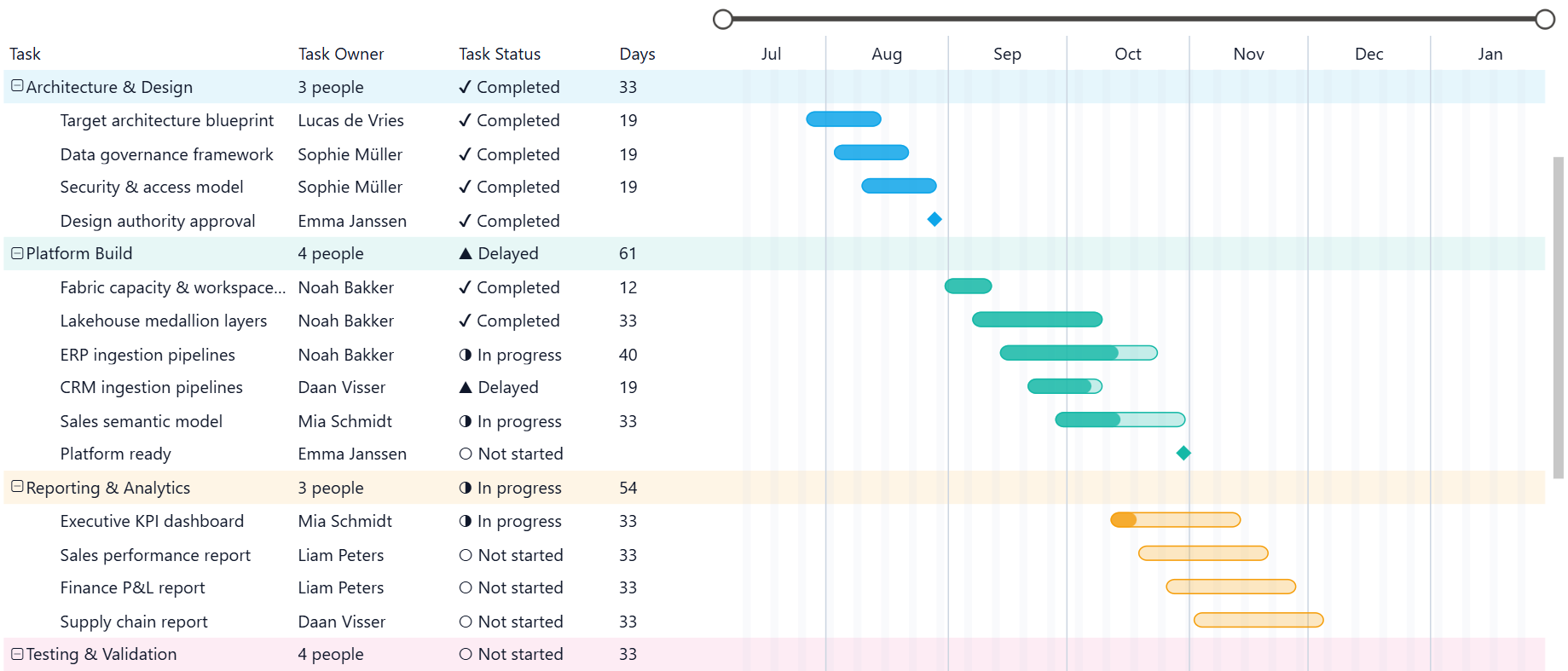
One limit to know before you promise anyone a planned vs. actual view: each bar has one start date and one end date. In the comments under the release post, a Microsoft team member suggested plotting one pair of dates and putting the other in a tooltip or an extra column. Conditional colors can then flag the tasks that slipped.
See video
here.
2. List slicer with a dropdown option (Preview)
Long lists now fit in a dropdown. Each value you pick shows up as a pill above the slicer with an x to remove it. When there are more picks than space, a count pill tells you how many are hidden.
Turn on Show selected first and your picks stay at the top of the list, so you don't have to scroll through a long customer list to check what's filtered. The button slicer got the same option.
My favorite part is how it handles Select all. Select everything, clear two items, and the slicer shows them as Not (item) pills. You can see right away that the filter excludes two values instead of including everything else. If you click Select all and clear nothing, it behaves like no selection and doesn't filter other visuals.
See video here.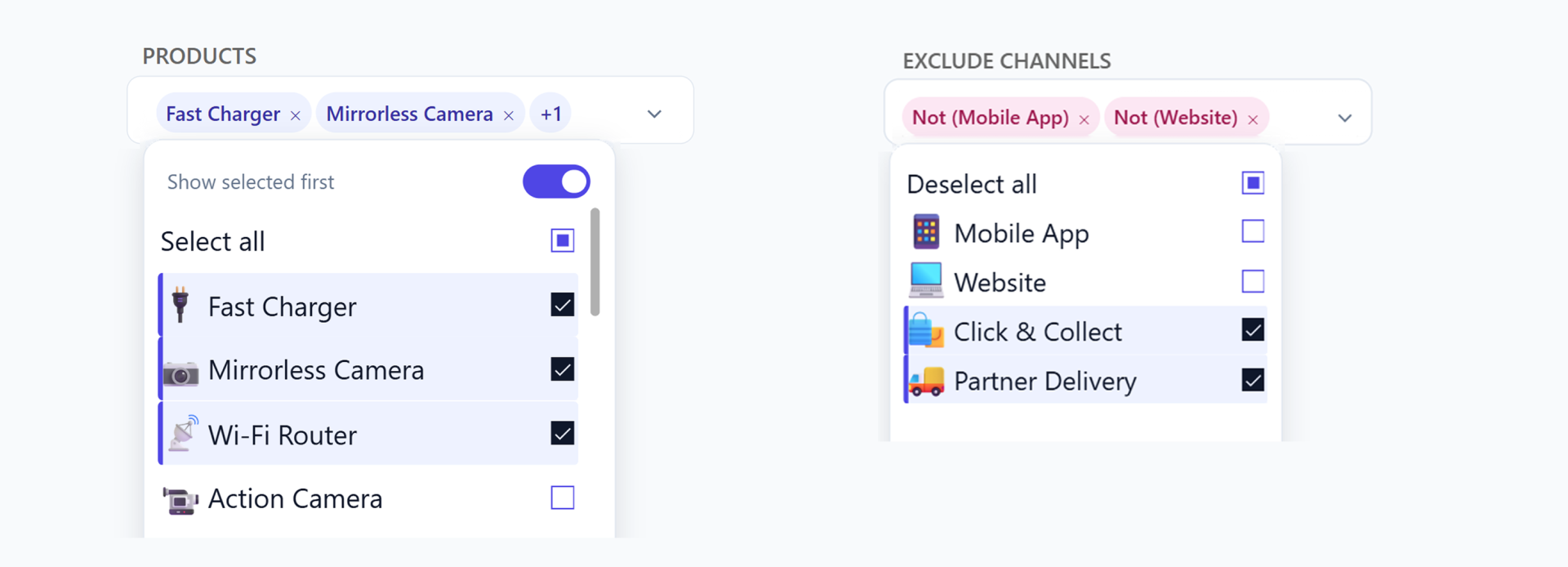
3. Auto-expand hierarchy axis with field parameters (GA)
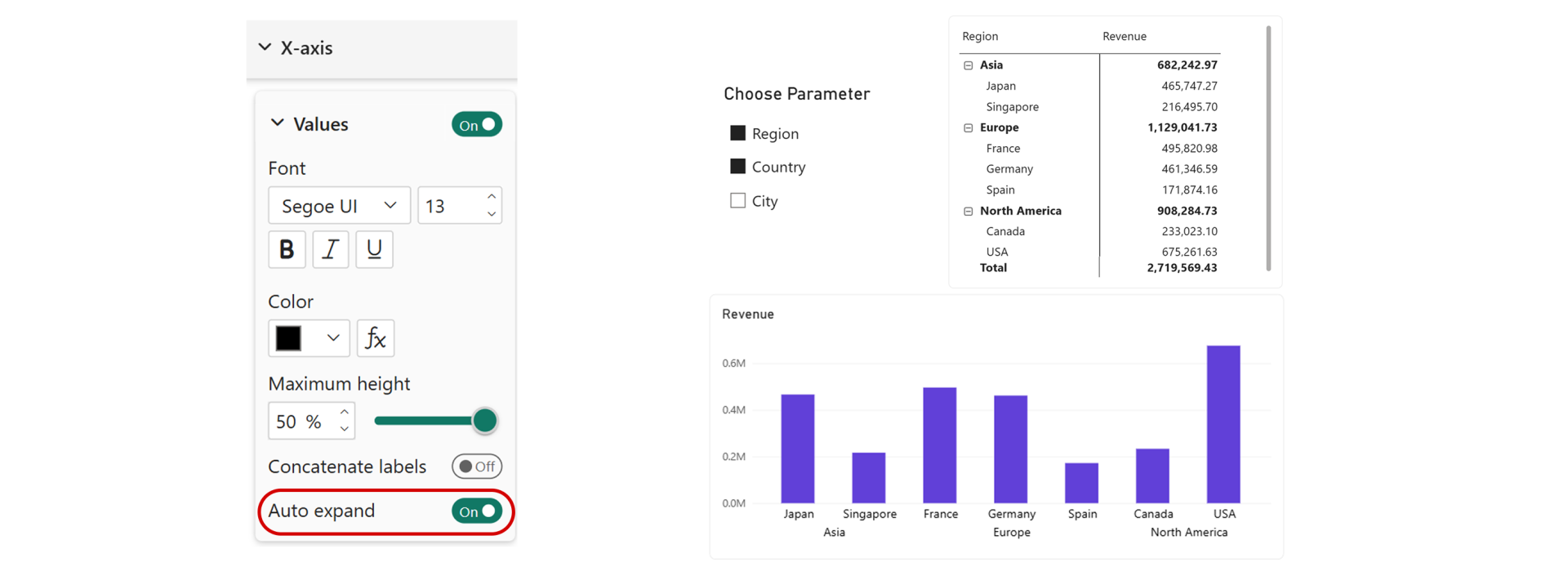
Put more than one column on the axis of a bar, column or line chart and the chart now shows every level right away, with no clicking through the expand buttons. Slicers and matrices already worked this way, so charts finally behave the same.
It works with field parameters too. Build a parameter with Country, Segment and Product, add it to the page as a slicer, and the reader decides which columns sit on the axis. Pick one and the chart shows that level. Pick several and the hierarchy expands on its own.
4. Chart plot area background color (GA, not live yet)
Bar, column, line, area, combo, ribbon, waterfall and scatter charts can now fill the plot area with one color, with a transparency slider next to it. Click fx and the color can come from a measure, so the background changes with the data.
I'd use the solid color to separate the chart from the page background, and the fx version sparingly. A plot area that turns red when a target is missed gets attention, but on every chart it stops meaning anything.
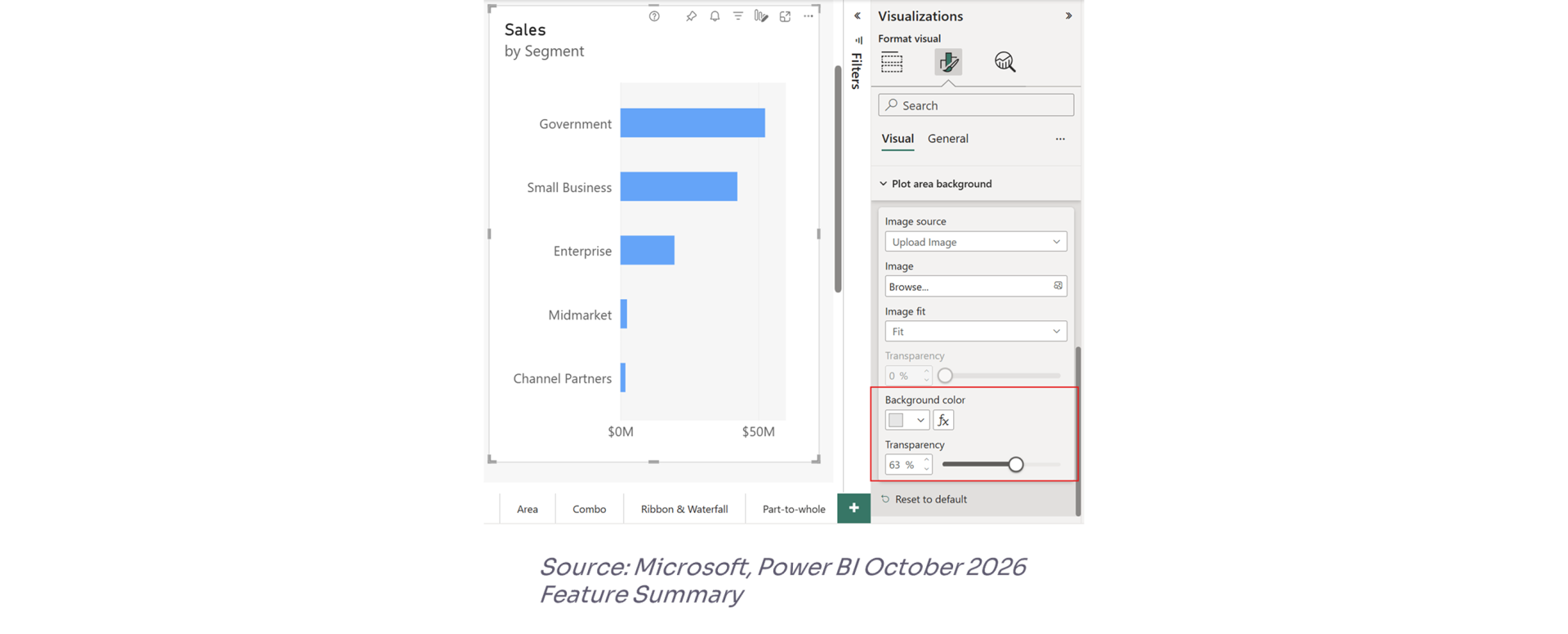
The catch: it isn't there yet. We checked on a few machines and the option didn't show up on any of them. Microsoft has since confirmed in the comments under the release post that it's delayed and will likely arrive in the next release.
5. Personal bookmarks keep column widths (GA, rolling out)Resize or reorder the columns in a table or matrix, save a personal bookmark, and the layout comes back exactly as you left it. It works in the Power BI Service, in reading view.
This is a small change for report builders and a big one for the people who use your reports every day. Anyone who widens the same Product Name column every Monday morning will notice.
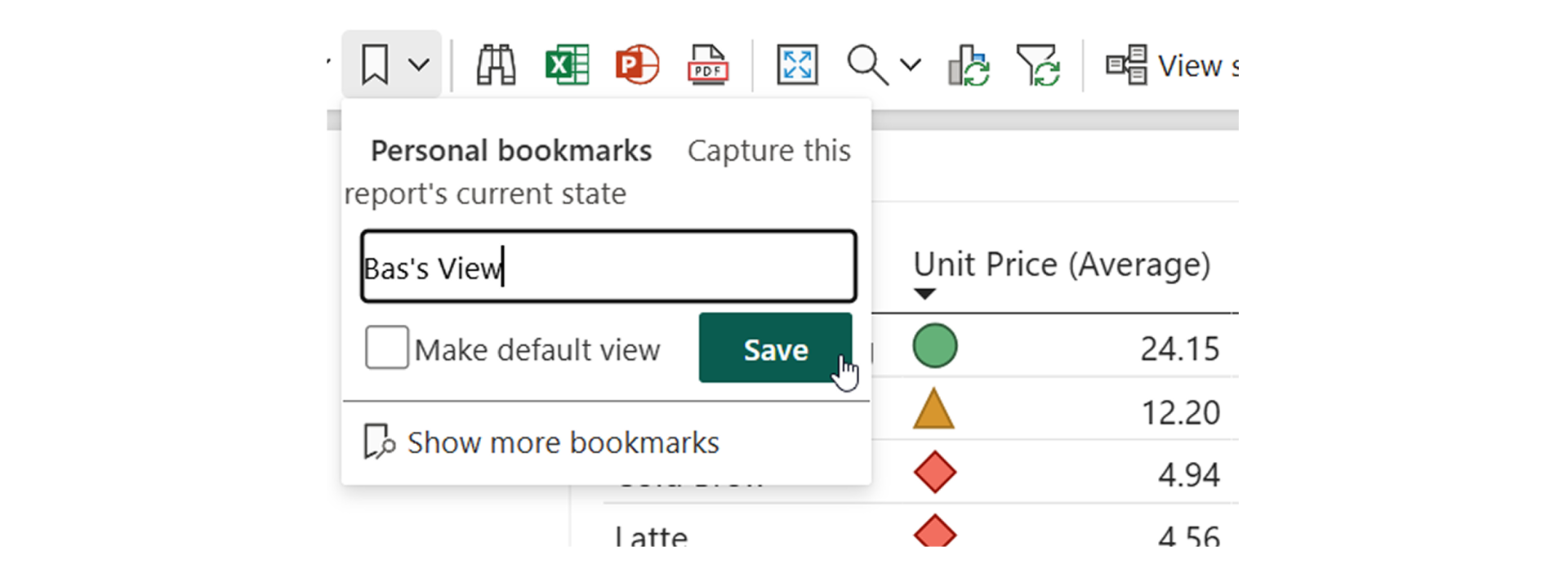
Same story as the plot area: Microsoft listed it as GA, then wrote in the comments that it's running a couple of weeks late. If your widths still reset, that's why.
Also in this release
The Power BI Report Authoring skill in Skills for Fabric now works with custom visuals, and it's GA. The agent can add a custom visual that's already in the report (including one imported from a file), bind fields to it and format it. When the core visuals can't do what you need, it can also suggest an AppSource visual. I tested the authoring skills on a full finance report in
4 skills Power BI developers should learn before 2027. If you set it up after that post, you already have it; custom visuals are one more thing it can build.
If you'd rather watch, I built a full finance report from a single Excel file with the authoring skills in this
video, from the semantic model to publishing in Fabric.
Semantic models now report capacity unit (CU) usage while long background operations are still running, instead of mostly at the end. Surge protection sees the load earlier and steps in sooner. In Microsoft's August measurements, proactive surge-protection rejections went from 5% to 12%, and late-stage Fabric throttling rejections dropped from 23% to 13%. You don't need to change any settings.
So that's my hot take on the October 2026 Power BI update.
Hope you like it!
I'd love to hear which of these you try first.