Fabric App · Workplace

Real Estate: listings, viewings and offers in one app
Here is how an in-house app can streamline real estate agency business operations and create a fully customized experience. Agents open it in the morning and see today’s viewings, the offers waiting for a reply and what the pipeline is worth for them. Every property has its full spec sheet, and deals move from inquiry to offer on a board.
Dashboard
Listings
Pipeline
PRODUCT
Property Pipeline and Ops
FOR
Agents, team leads, brokerage owners
STACK
Microsoft Fabric
RUNS IN
Your own Fabric tenant
/01THE PROBLEM
In most real estate agencies, listings and deals are showcased and tracked in multiple places at once: the CRM, the portfolio, a shared calendar and usually a spreadsheet. Sooner or later two agents book the same viewing, or a buyer’s offer waits a week for an answer.
/03THE APP
The app covers the sales process from the first listing to the offer.
Listings, viewings and offers are stored in your Fabric workspace, so sales can be reported on alongside the rest of your company’s data.
Home
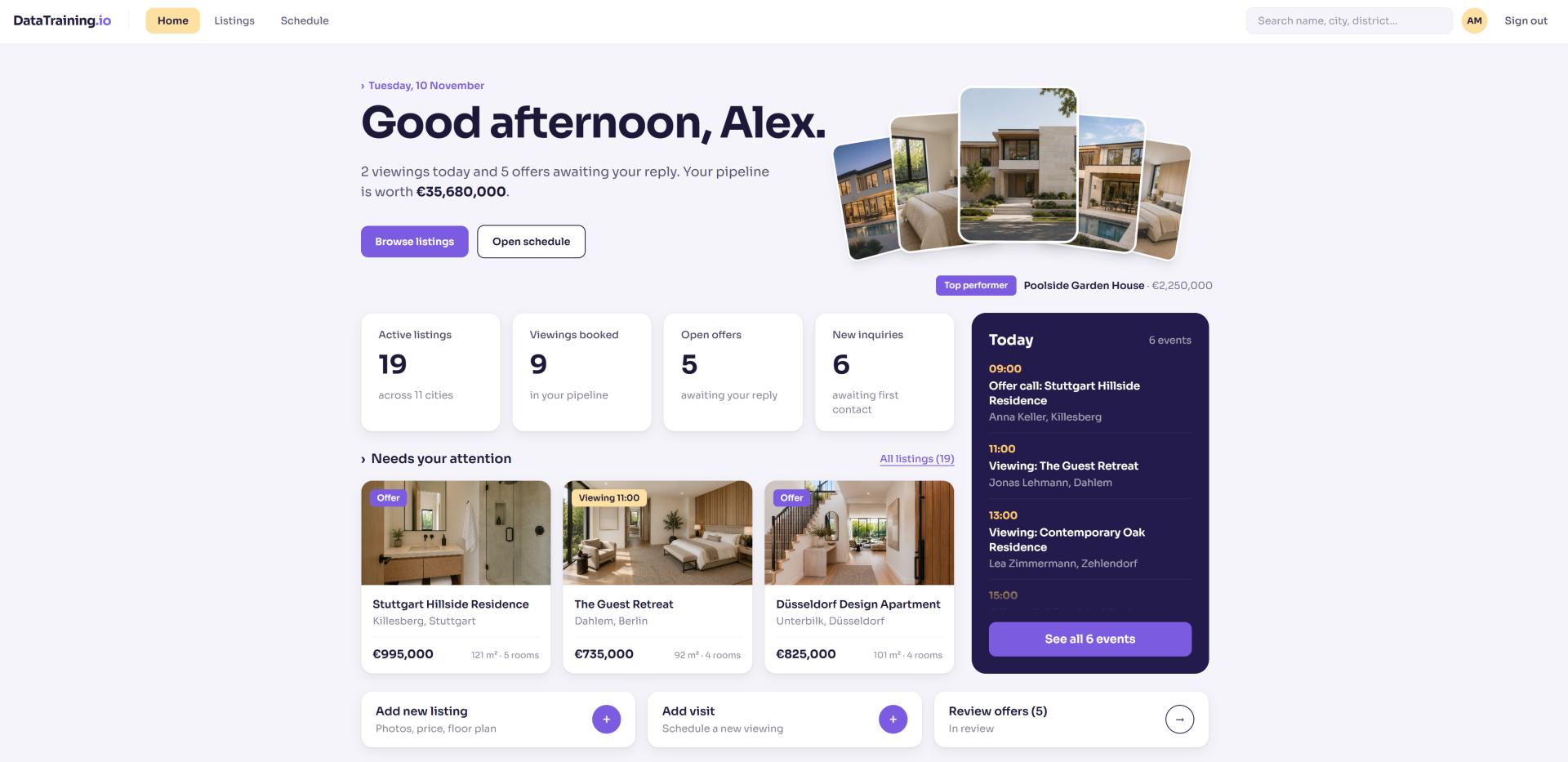
The page opens with a summary of the day: viewings booked, offers waiting for a reply and the total value of the pipeline. Below it, four cards count active listings, viewings, open offers and new inquiries. The listings that need attention today sit next to a timeline of the day’s events. Shortcuts at the bottom add a listing, schedule a visit or open the offers in review.
Listings
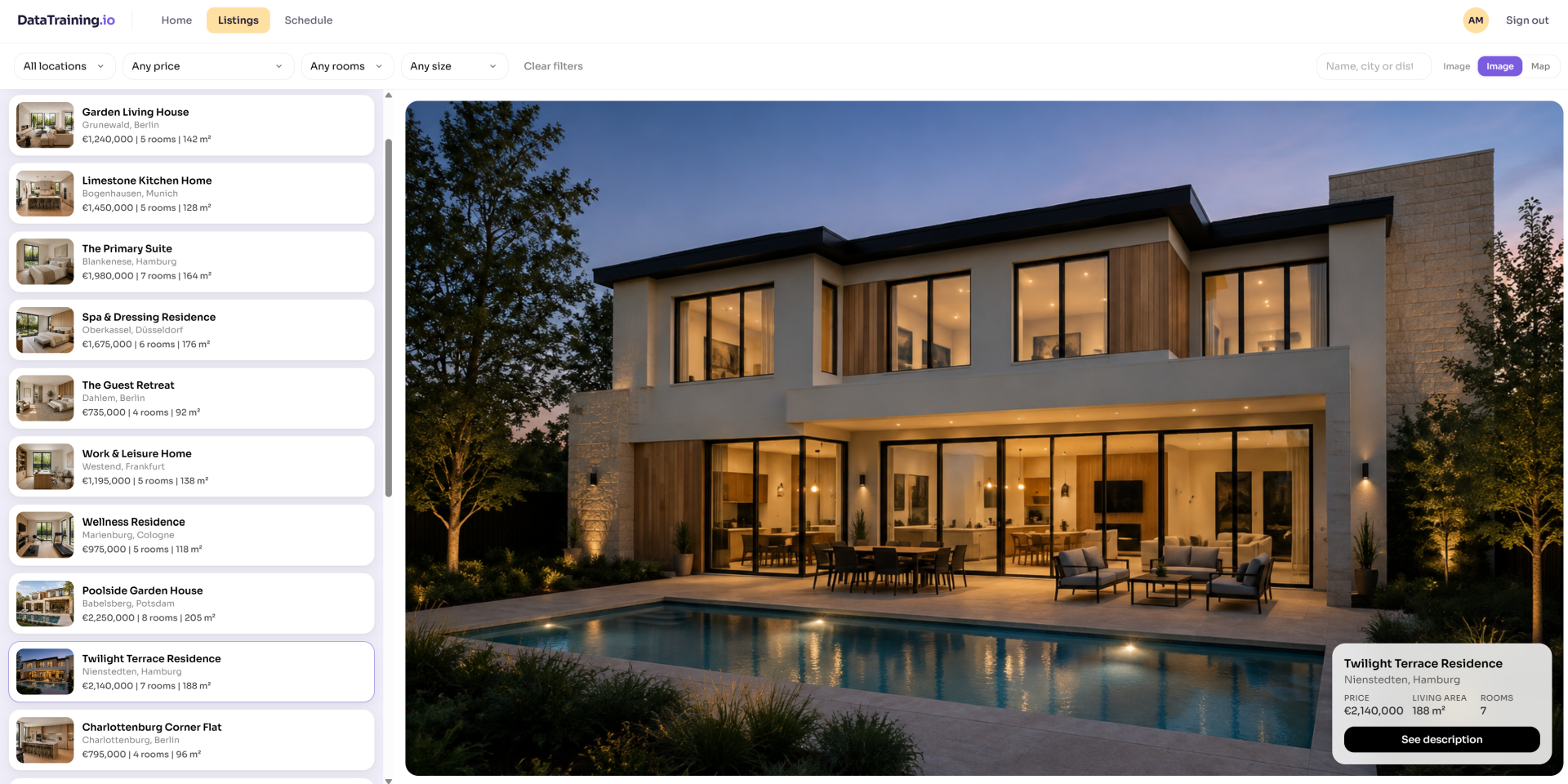
All properties in one list, each with its photo, district, price, rooms and living area. You can filter by location, price and number of rooms, search by name, city or district, and switch to the map.
Property details
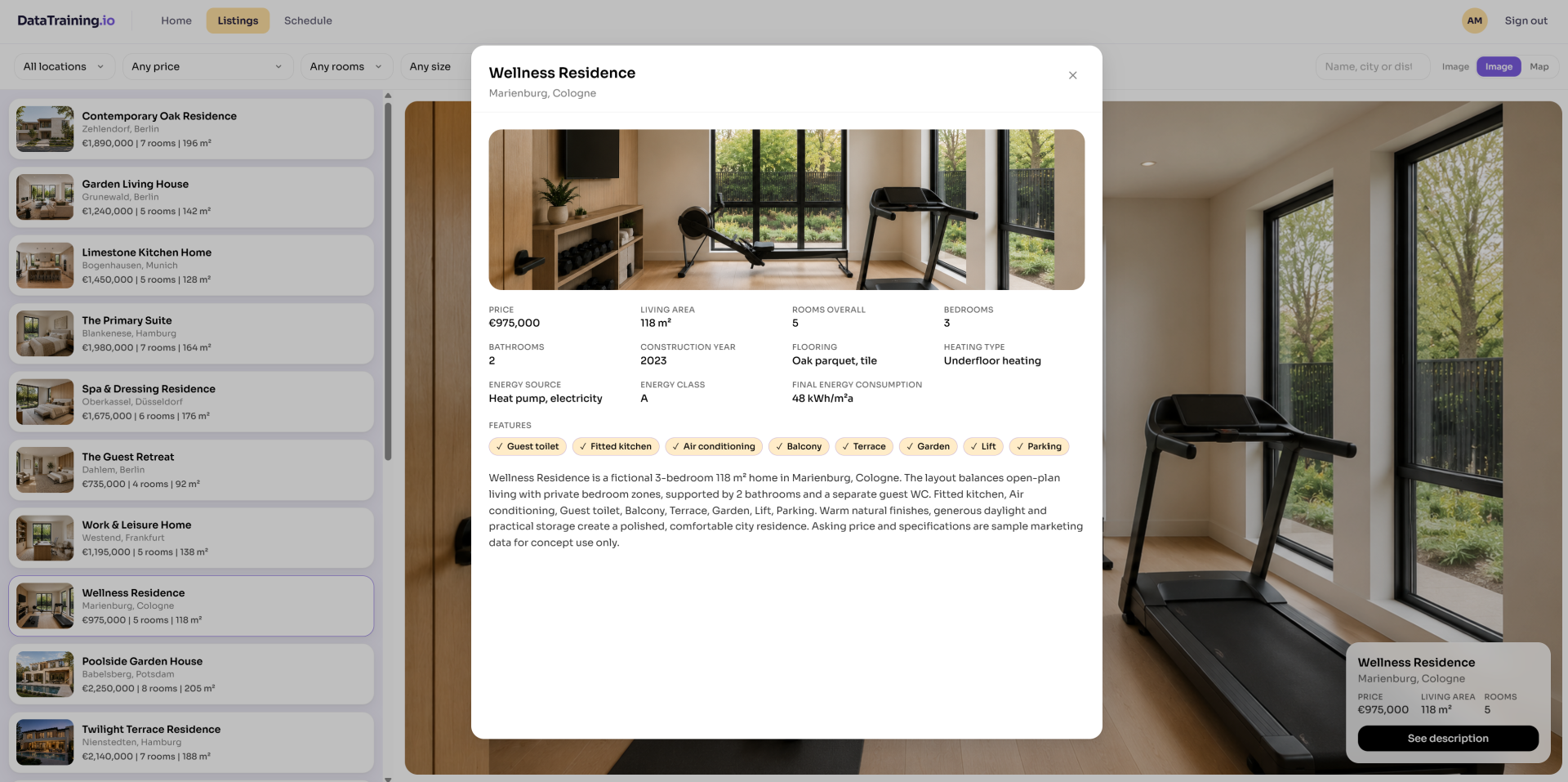
The full sheet for a property: price, living area, rooms, bedrooms and bathrooms, construction year, flooring, heating, energy source, energy class and consumption. A checklist shows which features the property has, and the marketing description follows.
You can even use it to showcase properties available directly to the Clients.

Schedule
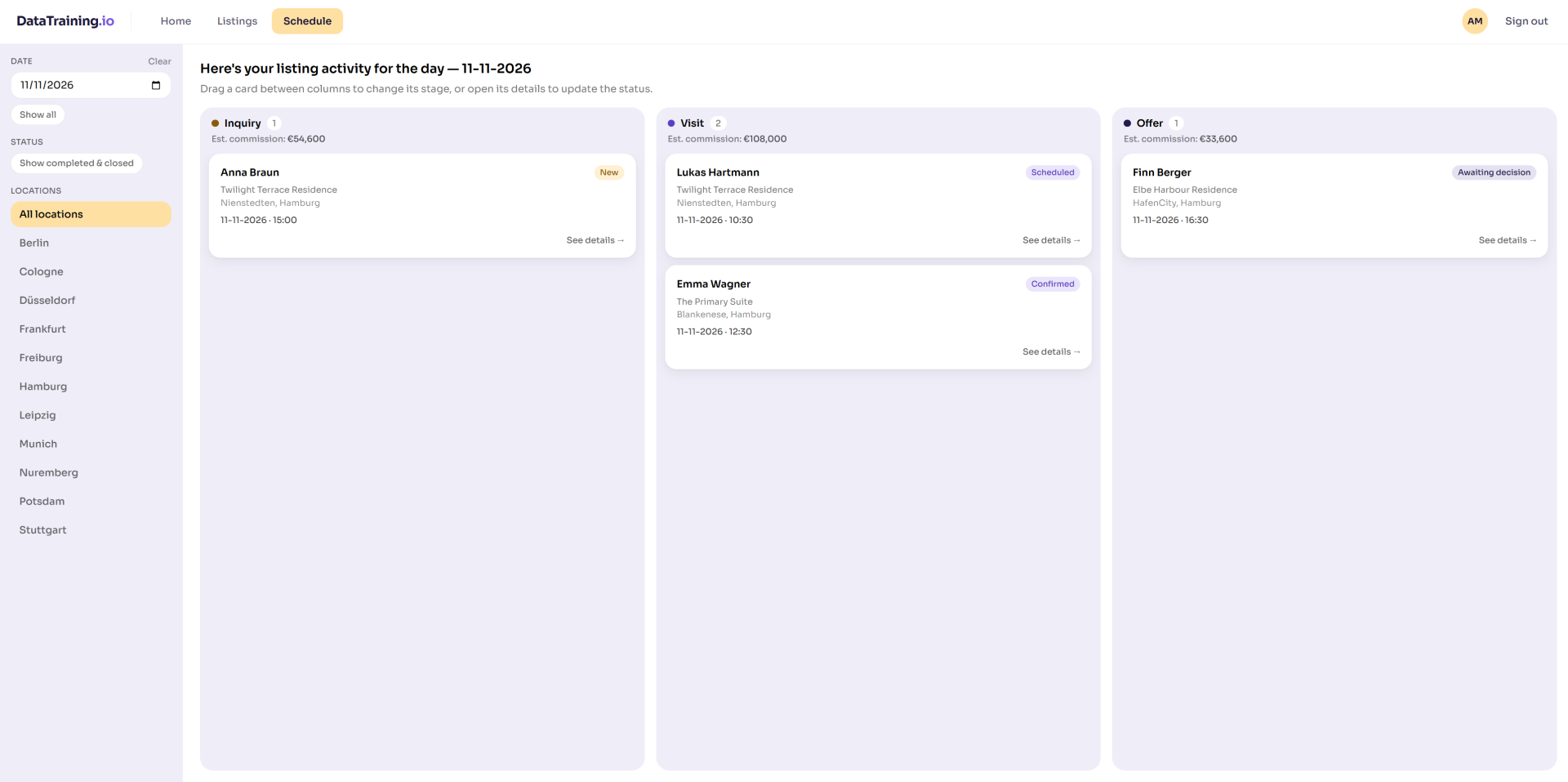
The day’s activity on a board with three columns, Inquiry, Visit and Offer. Each card shows the client, the property, the time and a status such as New, Contacted, Scheduled, Confirmed or Awaiting decision. Dragging a card to the next column moves the deal forward. Filters narrow the board by date or city and can bring back completed deals.

/04THE APPROACH
Sales processes differ by agency and often by market, so the setup starts with how you sell.
01
Map your sales process
We list your pipeline stages, the statuses within each, your commission rates and the cities and districts you work in.
Stages
Commission
02
Load your listings
We import your properties from your system, your portal exports or a file you already keep, with photos, specs and energy data. Later on you can add new properties directly in the app.
Listings
Property data
03
Set the access rules
Agents work on their own deals, and team leads can see and reassign all of them. The database enforces these rules, so access doesn’t depend on the interface.
Ownership
Access rules
04
Go live
One office runs its pipeline in the app first. Once stages and wording are adjusted to their feedback, the rest of the agency joins, and your team takes over listings and settings.
First office
Ownership
/05THE RESULTS
Deals are tracked, full transparency and control. Potential for building reports on top and customizing the app to match the processes even closer.
Get in touch with our team
COMPANY
Write your awesome label here.
Embedding Power BI in Power Point
Intro Session