Fabric App · Finance

Month-end commentary:
P&L variance sign-off for every entity in the group

Controllers explain each P&L line that goes over the threshold. Once a reviewer marks an explanation final, it goes into the month’s commentary pack.
Variances Commentary Review
PRODUCT
Month-End Commentary
FOR
Controllers, group reporting, CFO
STACK
Microsoft Fabric
RUNS IN
Your own Fabric tenant

/01THE PROBLEM

Group reporting needs a written reason for every large variance, from every entity, before the close deadline. In most finance teams those reasons arrive by email and get pasted into the document by hand.

Manual consolidation

Each entity controller submits explanations in their own format, and group reporting rebuilds them into a single pack every month. Manually.

No live overview

With a few entities and dozens of lines above threshold, outstanding explanations only come to light when someone chases them line by line.

Approvals leave no audit trail

Review comments sit in email threads, so there is no reliable record of which version of an explanation was signed off, or by whom.

/02THE IMPACT

No more chasing commentary by email, Teams or spreadsheets. From the first month, every variance explanation is written, reviewed and signed off in one place.

Status

and the group view
Every legal entity’s P&L against budget and prior year, plus the consolidated group.

2 tests

per line
A line needs a comment when the variance passes a set amount or a set percentage. The rule can differ by entity.

4 tags

per explanation
Recurring, one-off, timing or FX, so readers know what kind of variance they are looking at.

1 pack

from final comments
The pack lists only finalised explanations, in P&L order, and prints to PDF or downloads for Word.

/03THE APP

The app follows the month-end closing order: pick the period, see the variances, write the commentary, review it and publish the pack.
Data in a SQL database in your Fabric workspace, and people sign in with their Microsoft account.

Variances
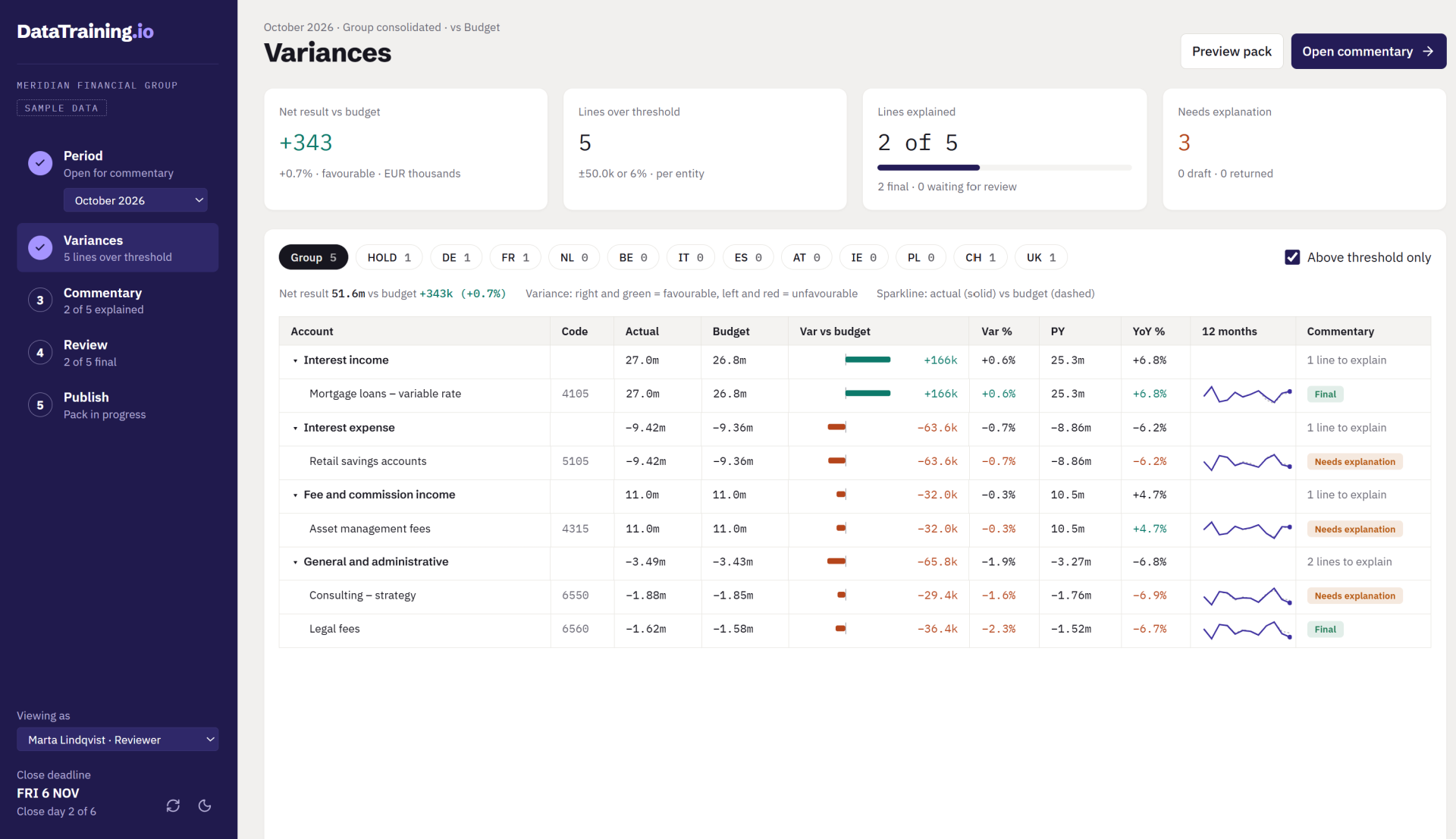
The month’s P&L against budget, for the group or a single entity. Each account shows actual, budget, prior year and a 12-month sparkline, and the lines above the threshold carry their commentary status. The tabs at the top count those lines per entity.
Commentary
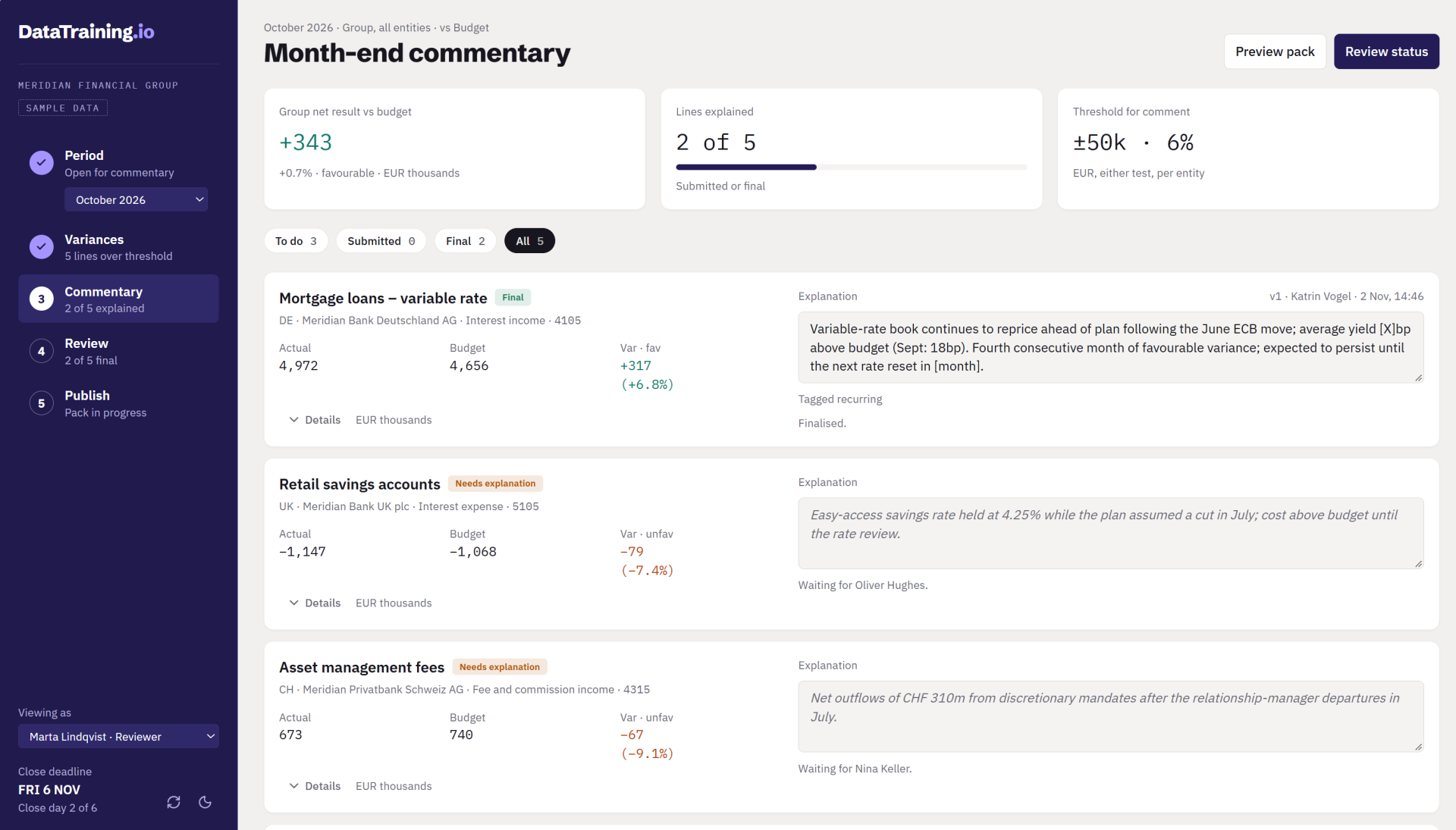
One card per line that needs explaining, with the figures on the left and the explanation on the right. If a line was explained last month, that text is already in the box to edit. Each saved explanation keeps its version, author and time.
Review
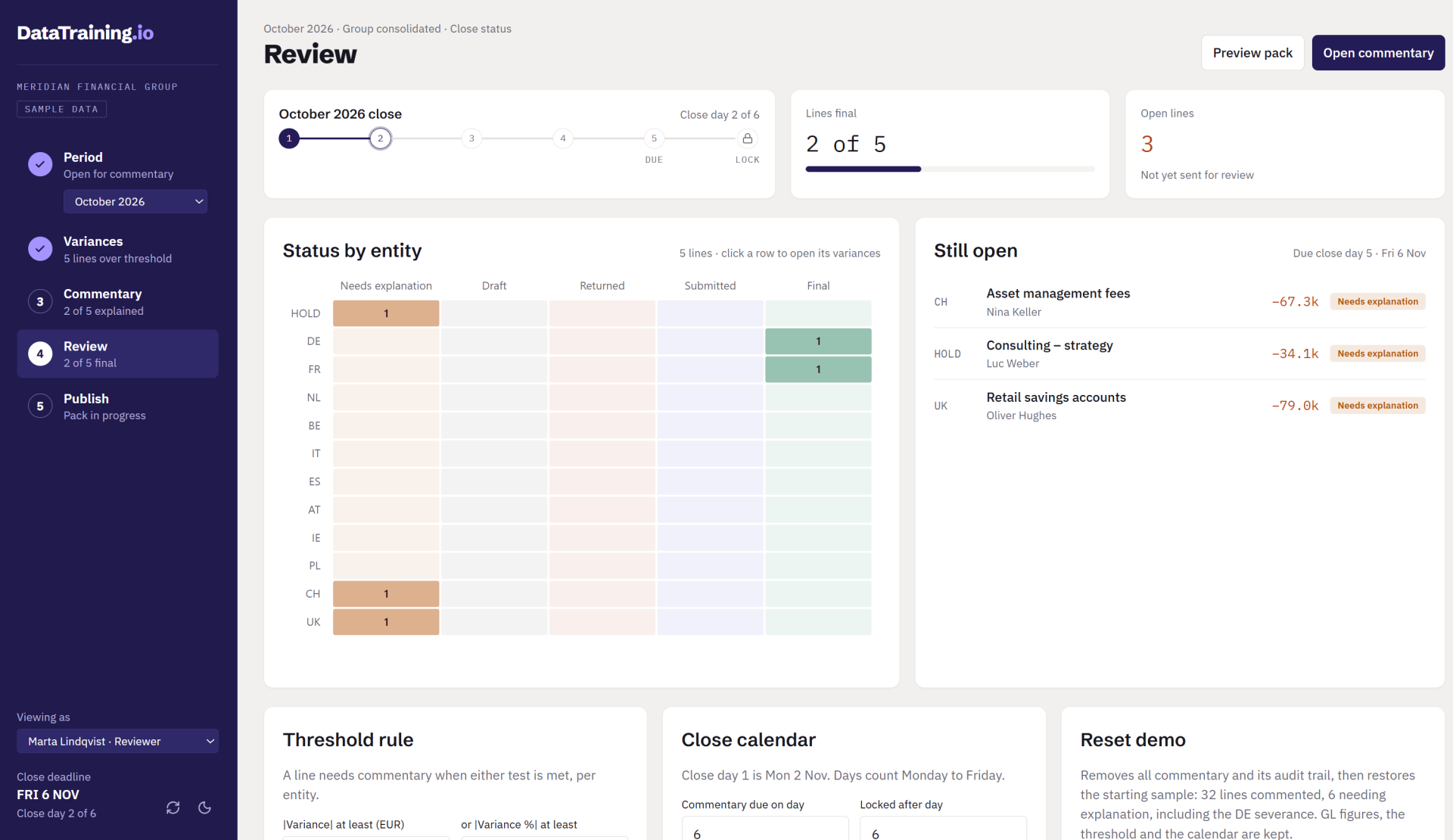
Shows the status: the day of the close, how many lines are final, and a grid of each entity’s lines by status. The list on the right names every open line and who owns it. The threshold rule and the close calendar are set further down the page.
Publish
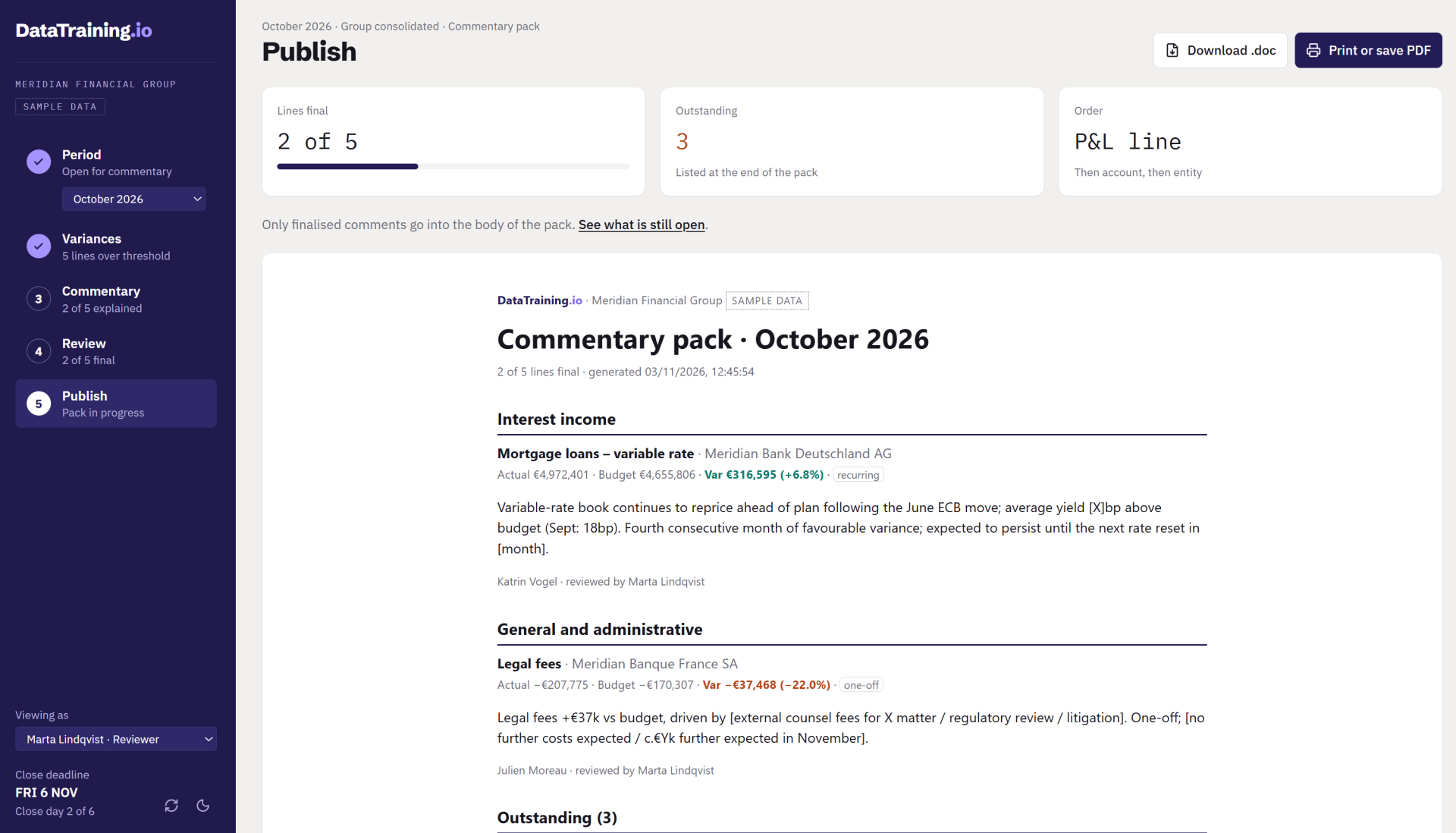
A preview of the commentary pack. Final comments are grouped by P&L line, each showing who wrote it and who reviewed it, and open lines are listed at the end. The pack downloads as a Word file or prints to PDF.

/04THE APPROACH

We can help you set the app up around your month-close process and your chart of accounts.

01

Load your ledger figures

We bring in actual, budget and prior-year balances for each entity and account, from the systems you report from today. (Further reporting improvements, if necessary)

GL data
Entities

02

Agree on the rules

Together with group reporting we set the threshold for each entity/category/locale and the close timetable, including the day comments are due and the day the close locks.

Thresholds
Close calendar

03

Run one close in parallel

For one month the team writes commentary in the app while the old process still runs. We fix whatever doesn’t match before you switch over.

Parallel run
Sign-off

04

Hand it over

The app and its data stay in a Fabric workspace you own. Your team can change thresholds and dates each month without us.

Your tenant
Handover

/05THE RESULTS

Every explanation goes through the same steps in one app, tracked and documented. The pack (and potentially additional reporting) is ready as soon as the comments are final.

Gaps show up early

Status by entity and the overdue list show who still owes an explanation before the close locks.

Recurring lines start from last month

Controllers edit last month’s text, so a repeat variance doesn’t need a fresh write-up.

Every change is recorded

Each explanation keeps its version number and an audit trail of who saved, sent, returned or finalised it.

Ready for apps that speed up your teams?

Schedule a discovery call. We scope the work, tell you what we would focus on next, and you decide from there.

Get in touch with our team