Fabric App · Workplace

Desk Booking: an office booking app that runs in Microsoft Fabric
People pick a day and a floor, find a free desk on the floor plan and book it for the whole day or half of it. They can also see which teammates are coming in and book the meeting room.
Floor Plan
Teammates
Meeting Room
PRODUCT
Desk Booking
FOR
Everyone who works in the office
STACK
Microsoft Fabric
RUNS IN
Your own Fabric tenant
/01THE PROBLEM
Once a team goes hybrid, nobody knows who will be in the office on a given day or which desks are free. Most teams end up with a shared spreadsheet, a chat thread or costly SaaS.
/02THE IMPACT
With Desk Booking, each day’s office plan is in one place everyone can open.
/03THE APP
Desk Booking puts desks and the meeting room for every office on one page.
Because it’s a Fabric App, bookings are stored in a SQL database in your own Fabric workspace, and people sign in with their Microsoft account.
Book a desk
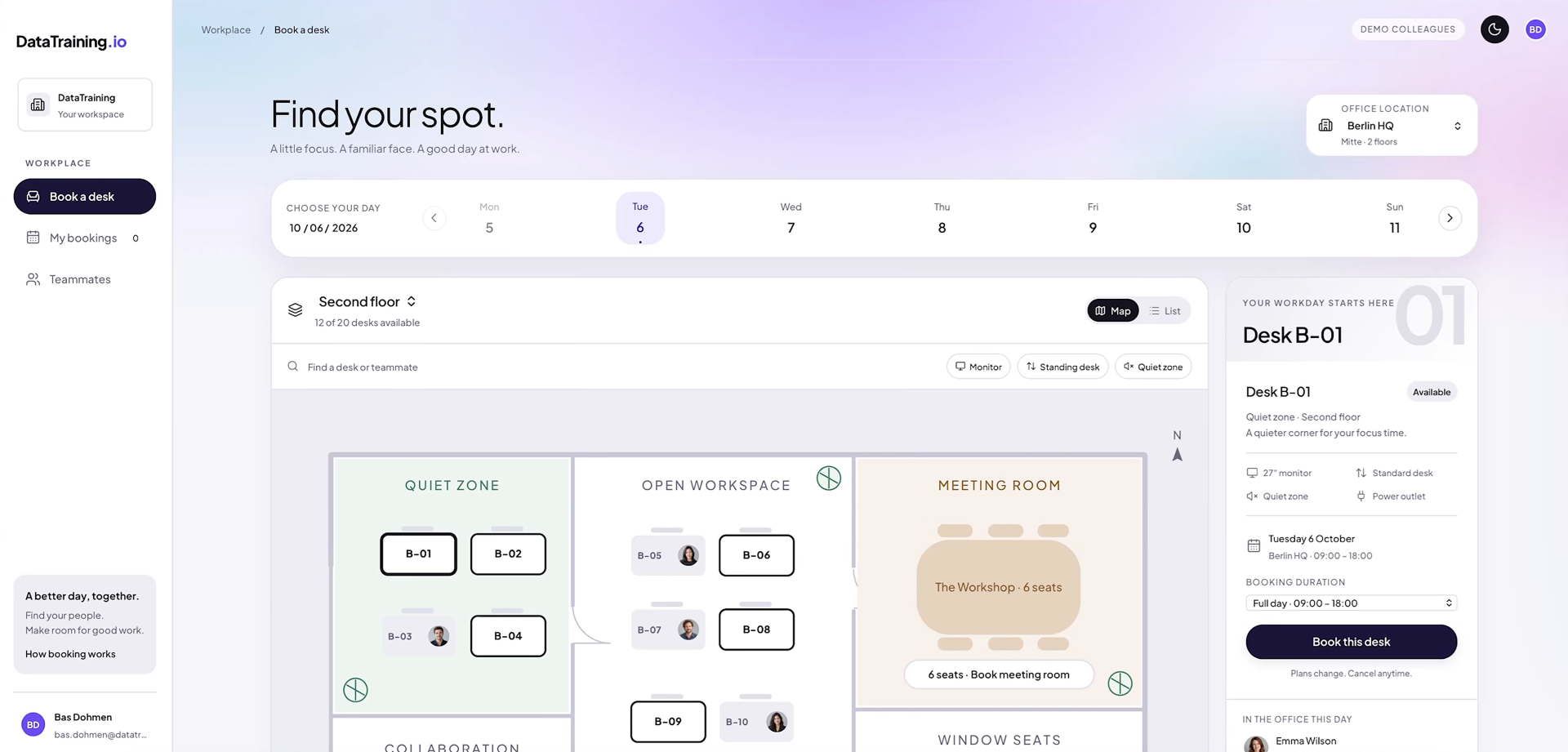
Pick the office and the day, then choose a desk on the floor plan. Booked desks show the photo of whoever has them, and filters narrow the plan to desks with a monitor, standing desks or the quiet zone. The panel on the right lists what the selected desk comes with, and you can book it for the full day or half of it.
My bookings
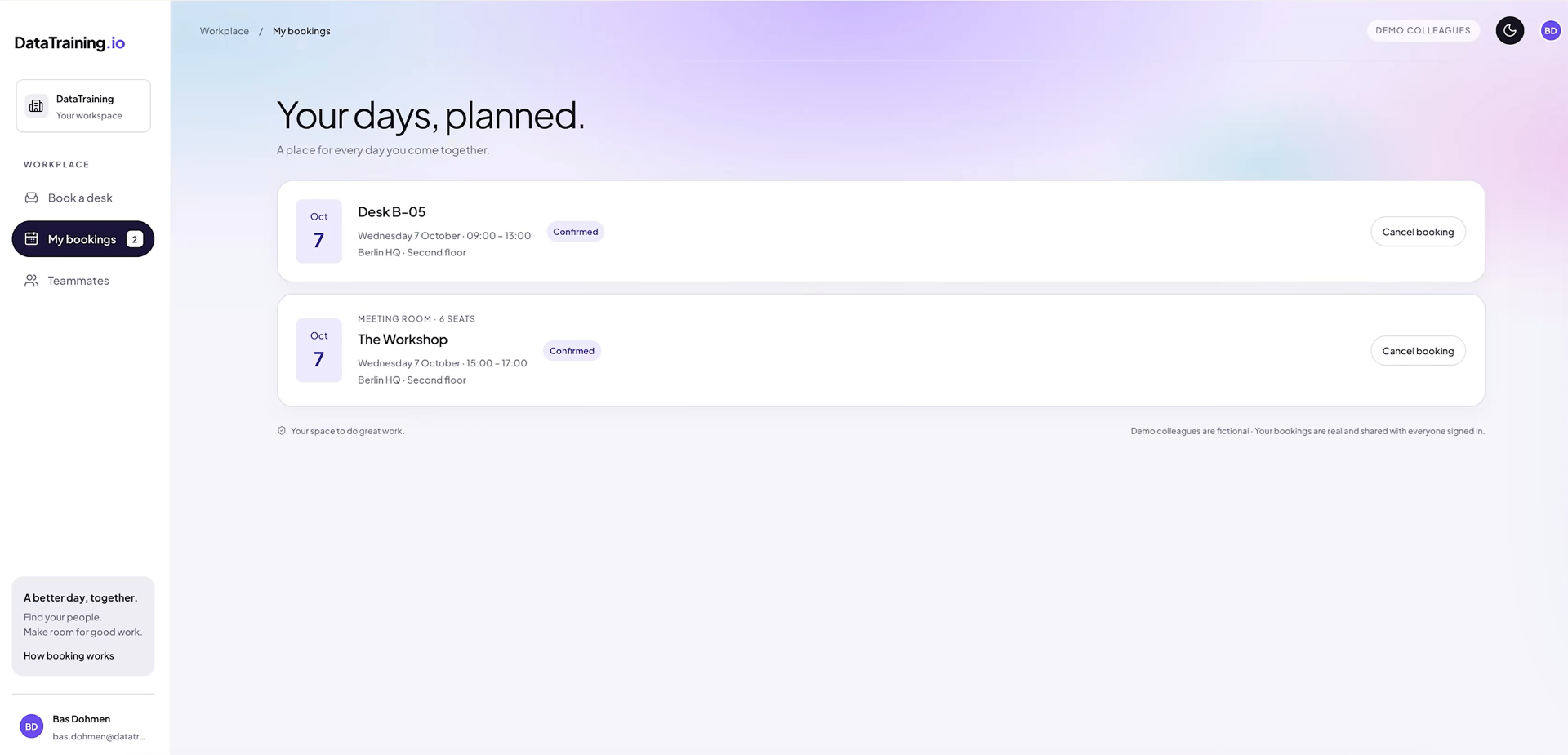
Your upcoming desk and meeting room bookings, each with its date, time and floor. An active booking can be cancelled from the same list.
Teammates
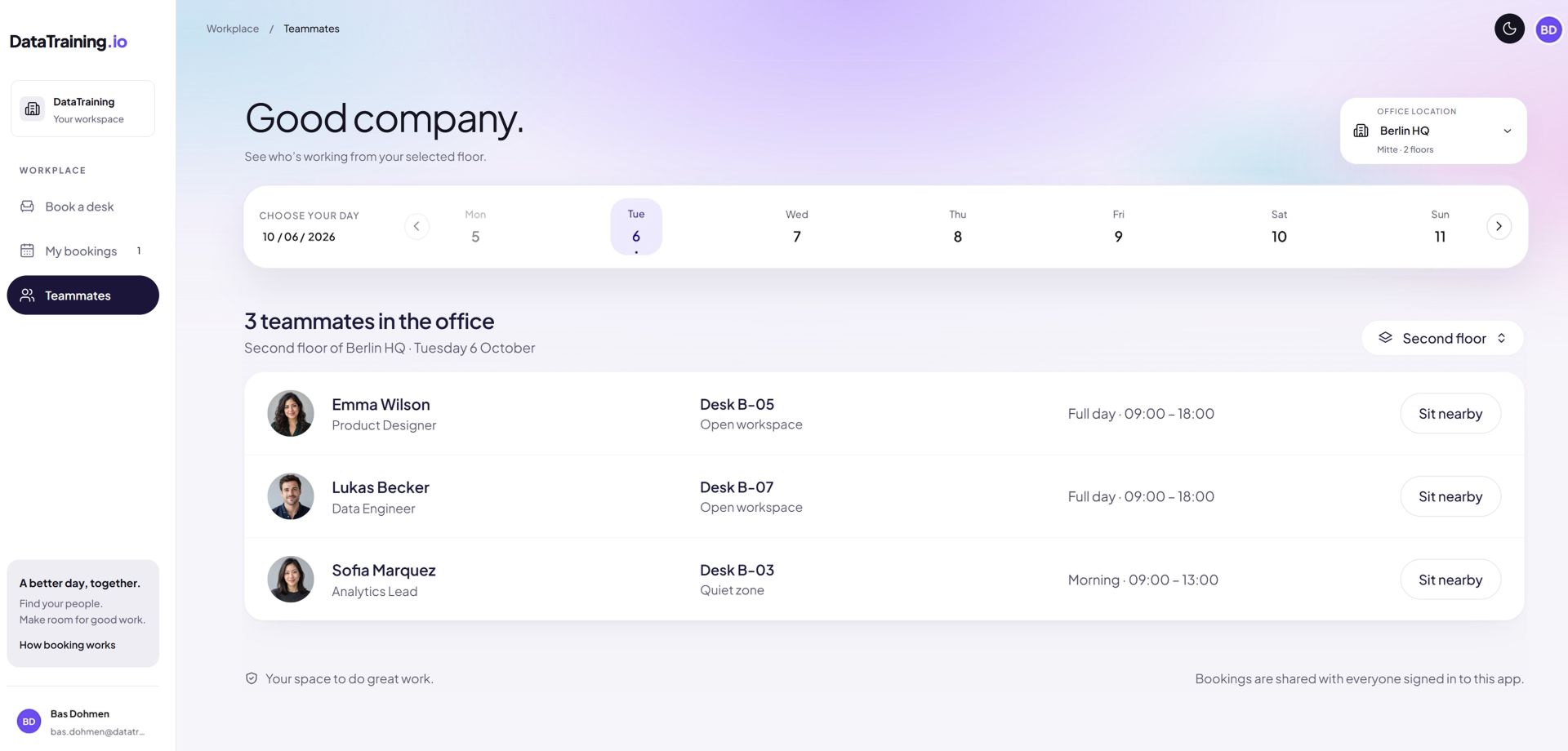
Who is in the office on the day and floor you pick, which desk they’ve booked and for how long. “Sit nearby” takes you to the floor plan so you can book a desk close to them.

/04THE APPROACH
The timeline will depend on the complexity of the map and how well documented your current setup/equipment is.
01
Start from your floor plans
We note each desk and its equipment, plus the rooms used for meetings. We also settle the booking rules, for example whether people can book half a day and how long a meeting room slot is.
Desk inventory
Booking rules
02
Set up your floors in the app
Each floor gets its own plan in the app. Zones keep the names your team already uses for them.
Floor plans
Zones
03
Try it on one floor
One team books through the app for real first. Once the plan matches the actual office and people have stopped asking how it works, we open it to everyone else.
Pilot
Rollout
04
Hand it over
The app runs in a Fabric workspace you own. We show your team how to add desks or a new floor when the office changes.
Your tenant
Handover
/05THE RESULTS
Before anyone gets to the office, they know which desk is theirs and who else is coming in.
Get in touch with our team
COMPANY
Write your awesome label here.
Embedding Power BI in Power Point
Intro Session