We will cover the reporting updates that stood out the most, and share few practical examples along the way.
We'll be looking at
1. Set as Landing Page
2. Column Width Formatting
3. The redesigned Get Data experience
4. Azure Maps formatting improvements,
5. The Input Slicer.
1. Set as "Landing Page"
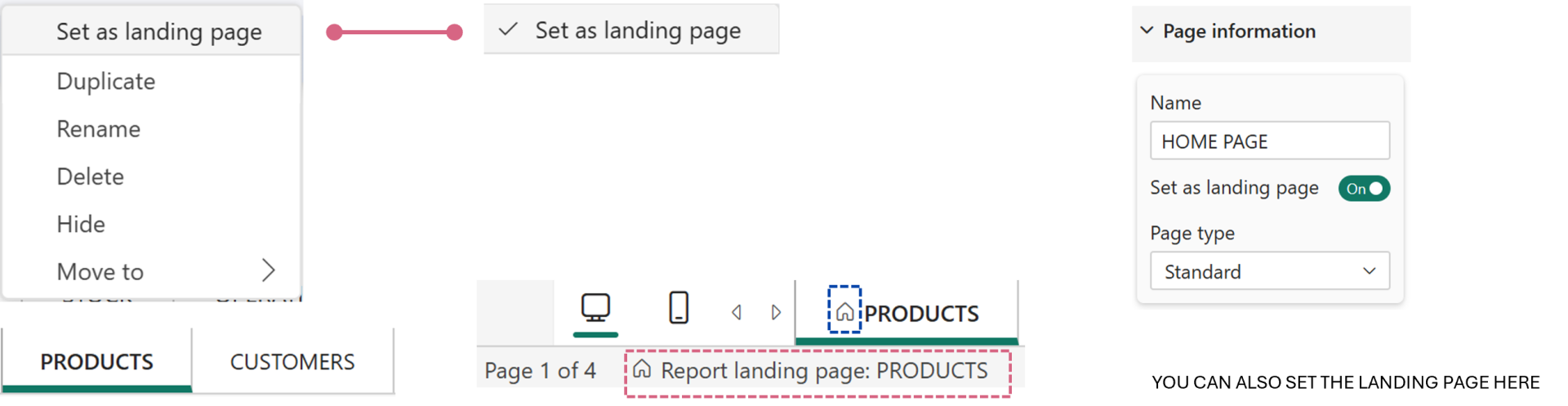
One of the most requested navigation improvements is finally here. With "Set as Landing Page", report developers can define which page users see first when they open a report. Instead of always landing on the first page in the report, or the page where you saved, you can now guide users directly to the most relevant starting point.
It's a small feature on paper, but one that will improve the user experience of almost every multi-page report.
You can set the landing page from,
- the tab at the bottom
- Page Information
2. Column Width Formatting
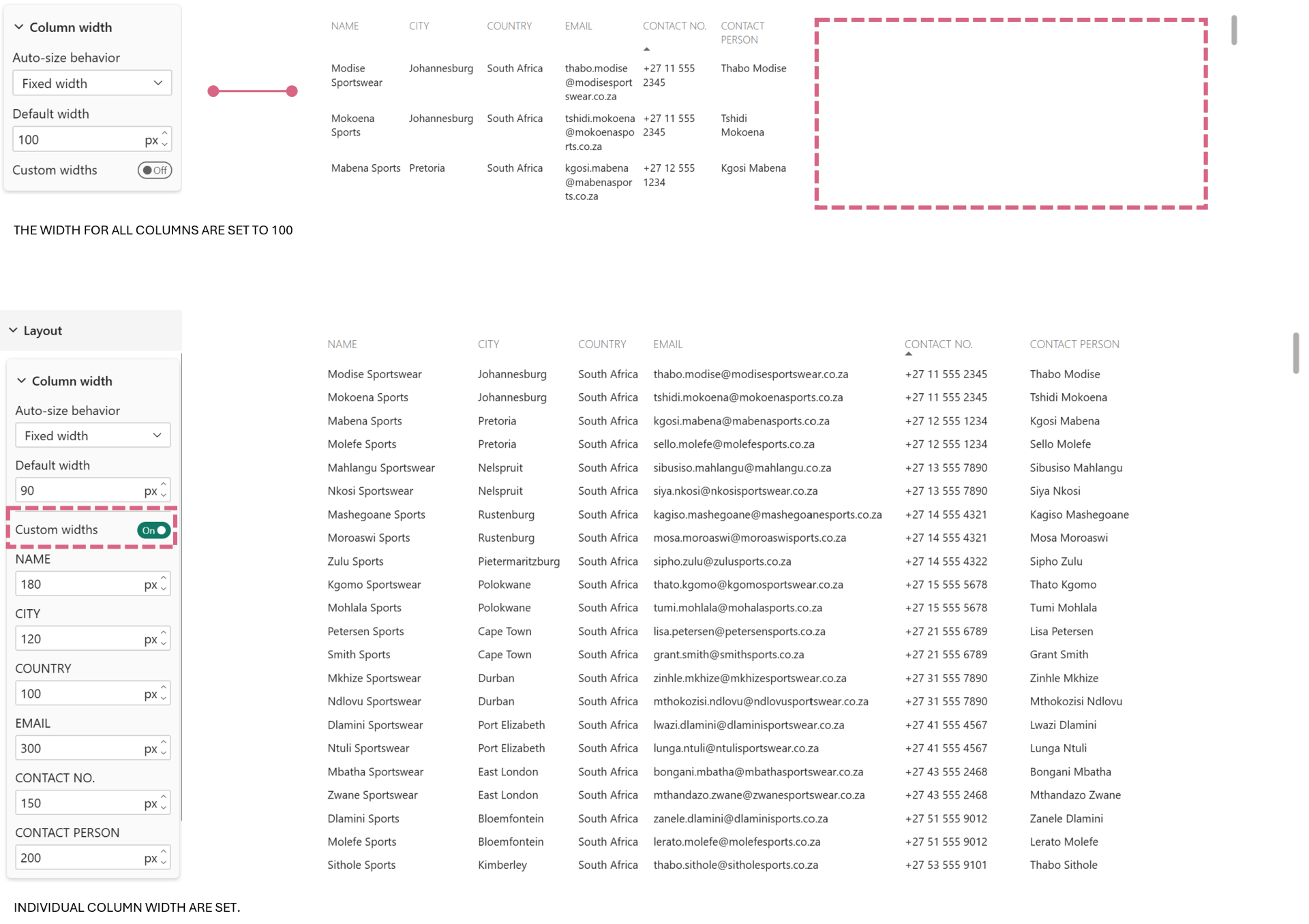
Tables and matrices now support Column Width Formatting, allowing you to define consistent widths for individual columns. This gives developers much more control over the layout of tabular visuals and helps create cleaner table / matrix.
With the addition of "Fixed width" option, you can specify the default width of all columns or specific columns. This feature removes a lot of the manual tweaking that was previously required.
You can do the formatting from the Layout - Column width - Fixed width and turn on or off the Custom width (to define individual column width)
3. The Get Data Experience
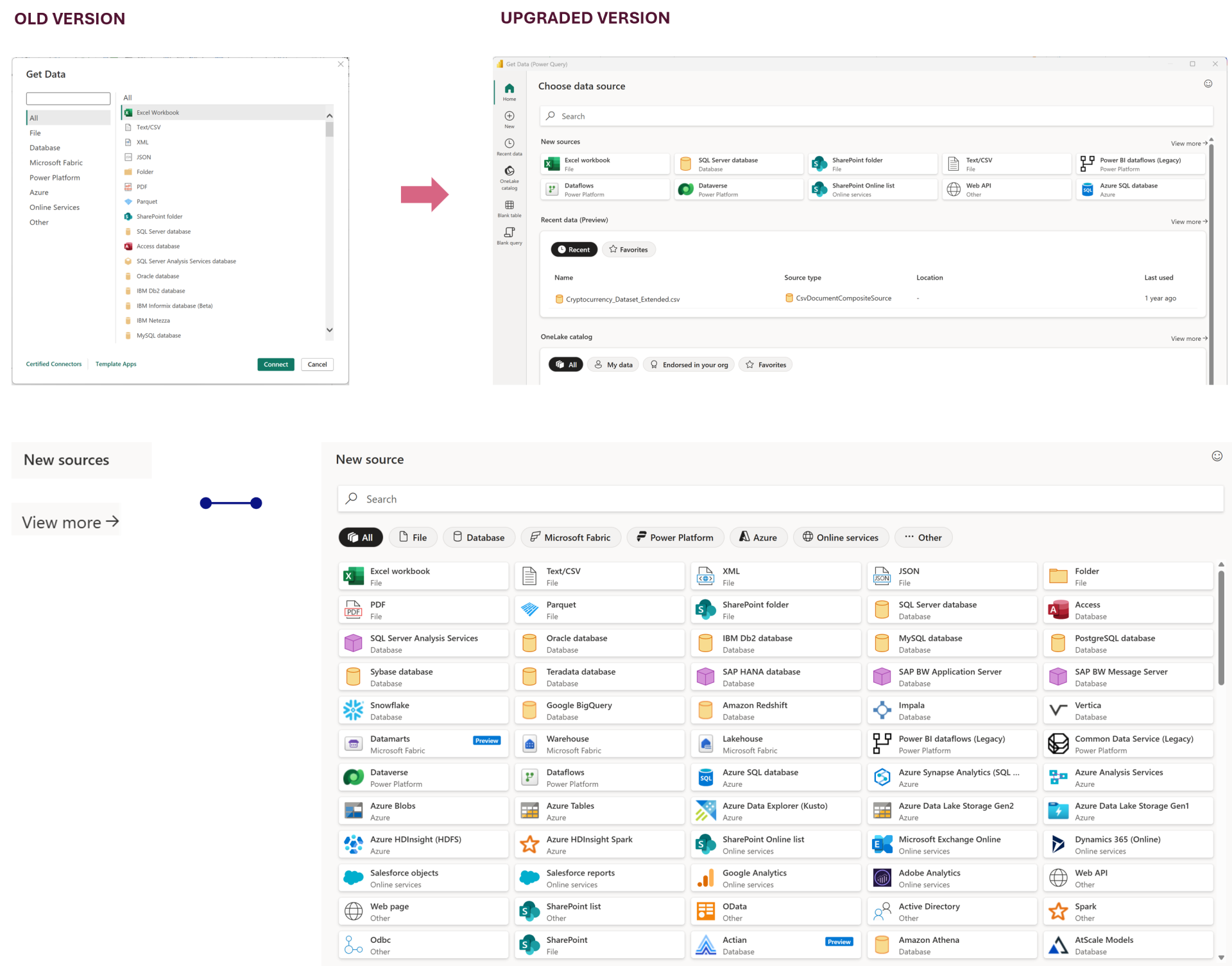
The Get Data experience has received a refresh, making it easier to discover, search, and connect to data sources. The updated interface streamlines the connection process and shows a lot of the connectors in the open.
Although it doesn't fundamentally change how data is imported, the improved navigation makes it easier and reduces friction when working with multiple data sources.
4. Azure Map Formatting
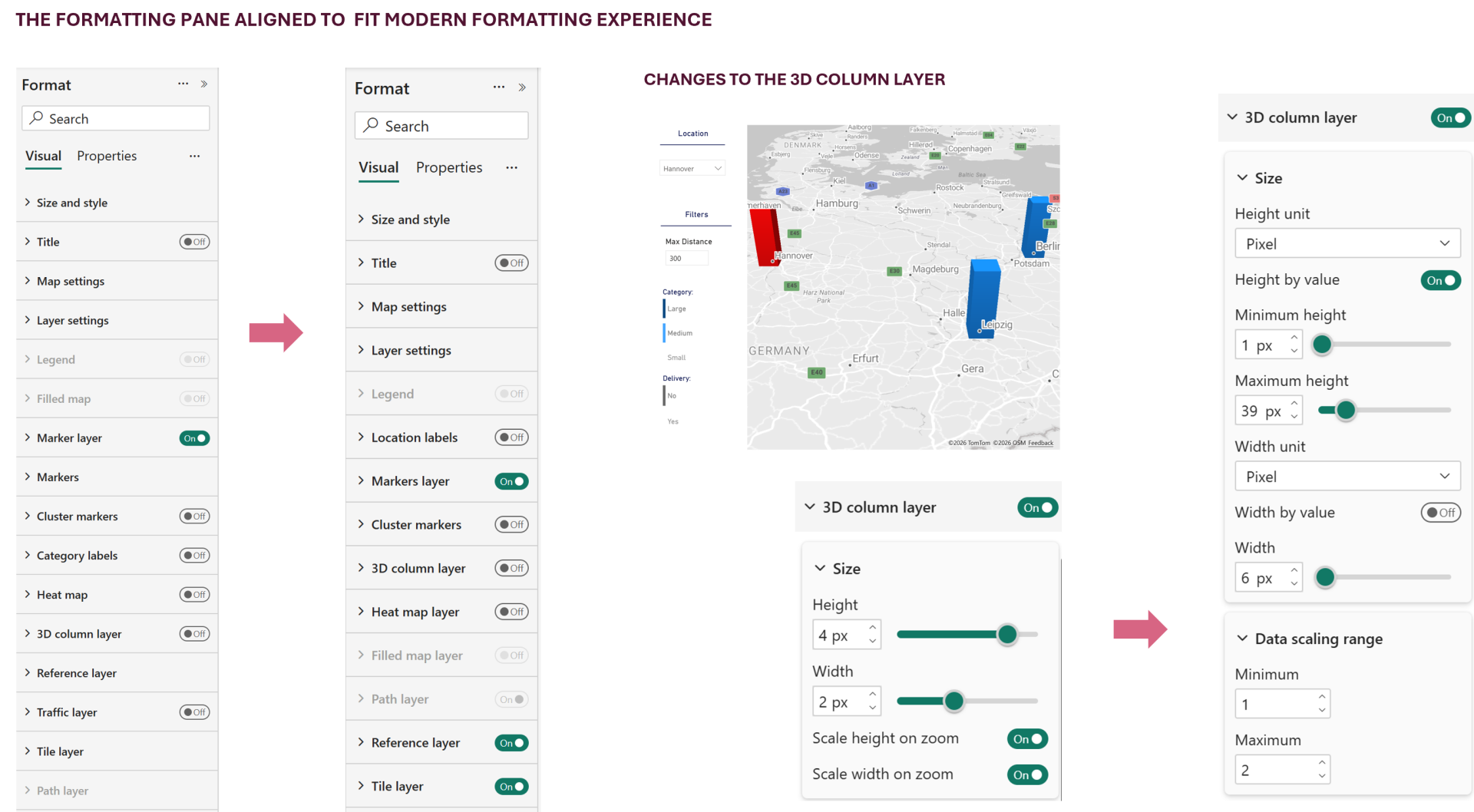
The update adds additional formatting options that give authors more flexibility when designing map visuals and the enhancement also focuses on adapting it to fit the modern formatting experience.
The below image shows an example of few extra options on 3D column layer formatting that showcases a bit of flexibility, compared to previous versions.
5. Input Slicer
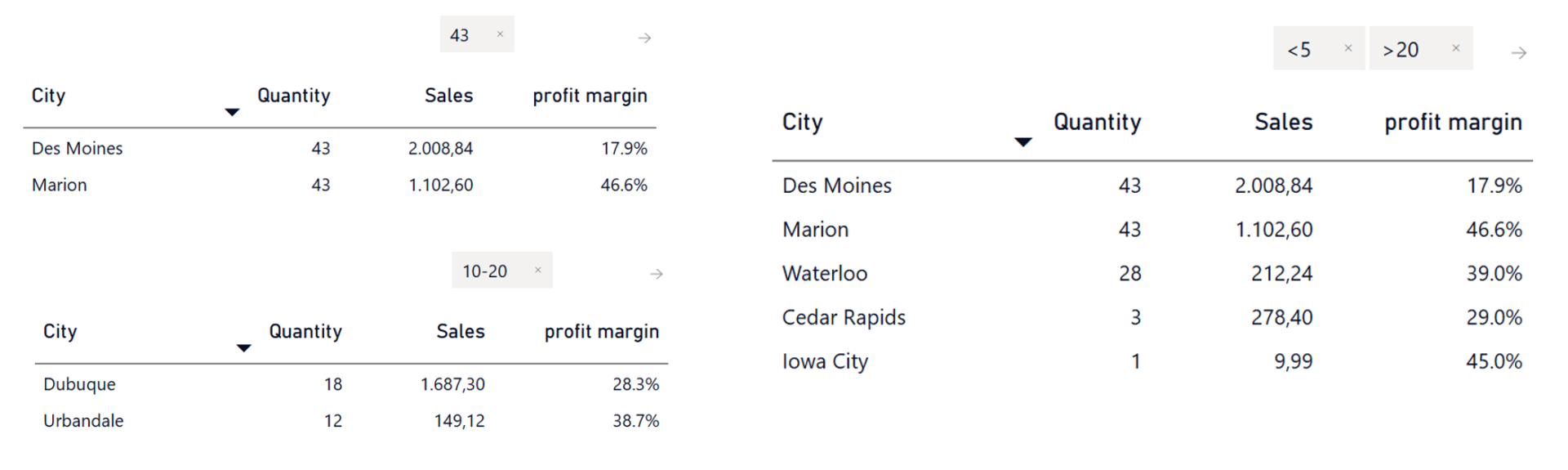
The Input Slicer introduces numeric fields support. It enables users to add numeric column to the slicer and also lets us use operators syntax directly to dynamically filter its content, creating a more interactive and intuitive experience. It's particularly useful when users need precise control over filtering.
And there you go, my hot take for the May 2026 Power BI Update!
Hope you like it!
Give it a try and see how it works for you! I’d love to hear what you think or see how you use this trick in your own reports.