Building a great Analytical report takes more than choosing the right charts.
It starts with understanding the business problem, designing a clear user experience, and presenting information in a way that's easy to understand. That's where most of the effort should go.
But once the report is built, there's another task that can quietly eat up your time: polishing the interface.
Finding the right icons, adjusting colours, downloading different formats, and making everything feel consistent with your branding might seem like tiny tasks, but they quickly add up.
That's why we created
Icons Studio. It's a simple,
free tool that makes one part of report design much faster.
Features:- Browse over 300+ business and analytical icons
- Choose from 4 different styles
- Customize colours, backgrounds, shapes, weight, and padding
- Filter icons by category
- Download as SVG or PNG
- Download multiple icons at once
- Switch between dark and light mode as per your convenience
There's no login, no account to create, and no software to install. Just find what you need and download it.
Find the right icon
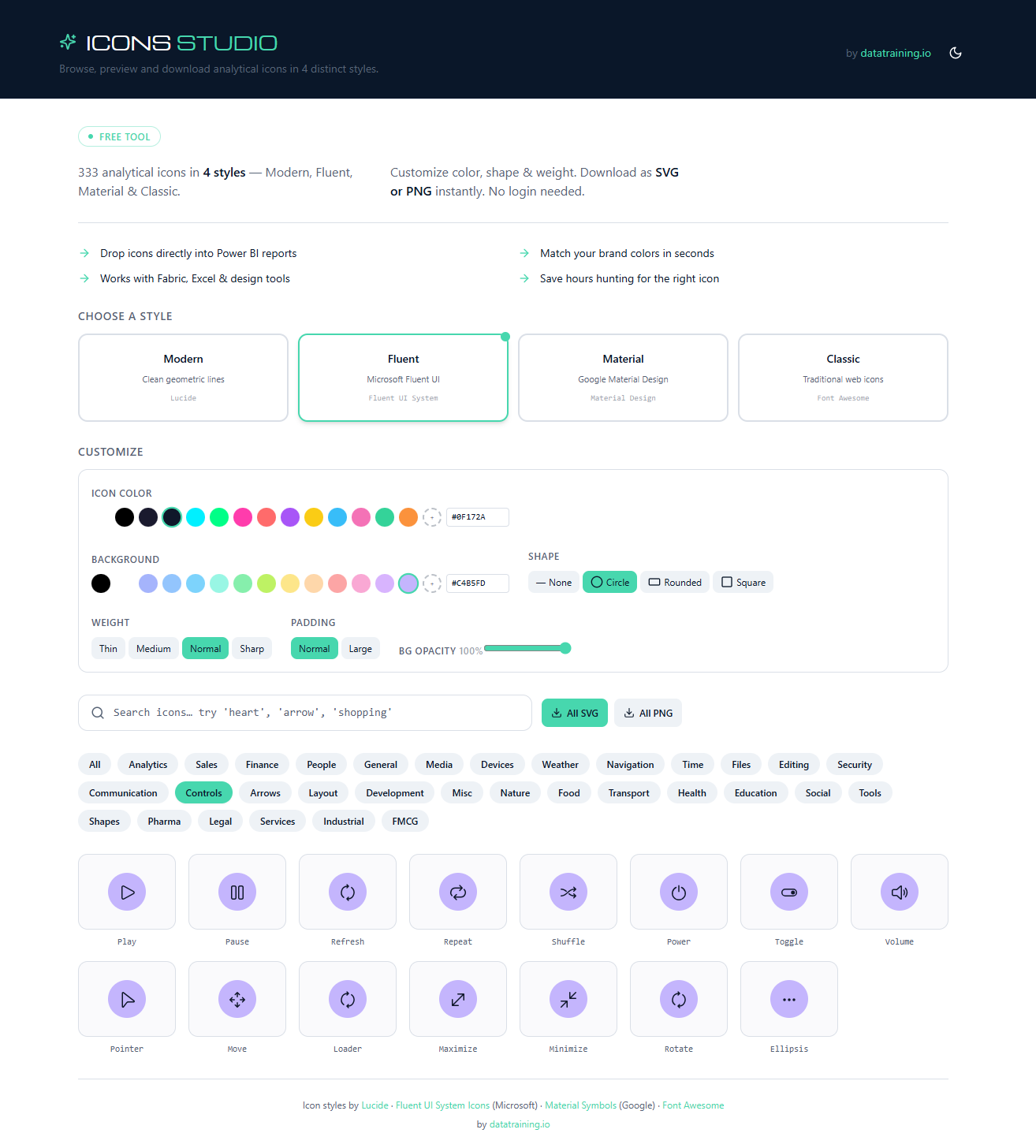
Icons Studio brings together a growing collection of more than 300 business and analytical icons, making it easier to find the right one for your reports and dashboards.
Instead of browsing multiple websites, you can search or explore categories to quickly find icons for finance, sales, legal, Industrial, People, and many more.

Choose a Style
Every report has its own visual style. Some dashboards work best with clean, minimal icons, while others suit a more modern or detailed design.
Instead of locking you into a single icon set, Icons Studio includes four popular open-source icon libraries.
You can switch between styles with a single click and choose the one that best fits your report.

Customize it to match your report
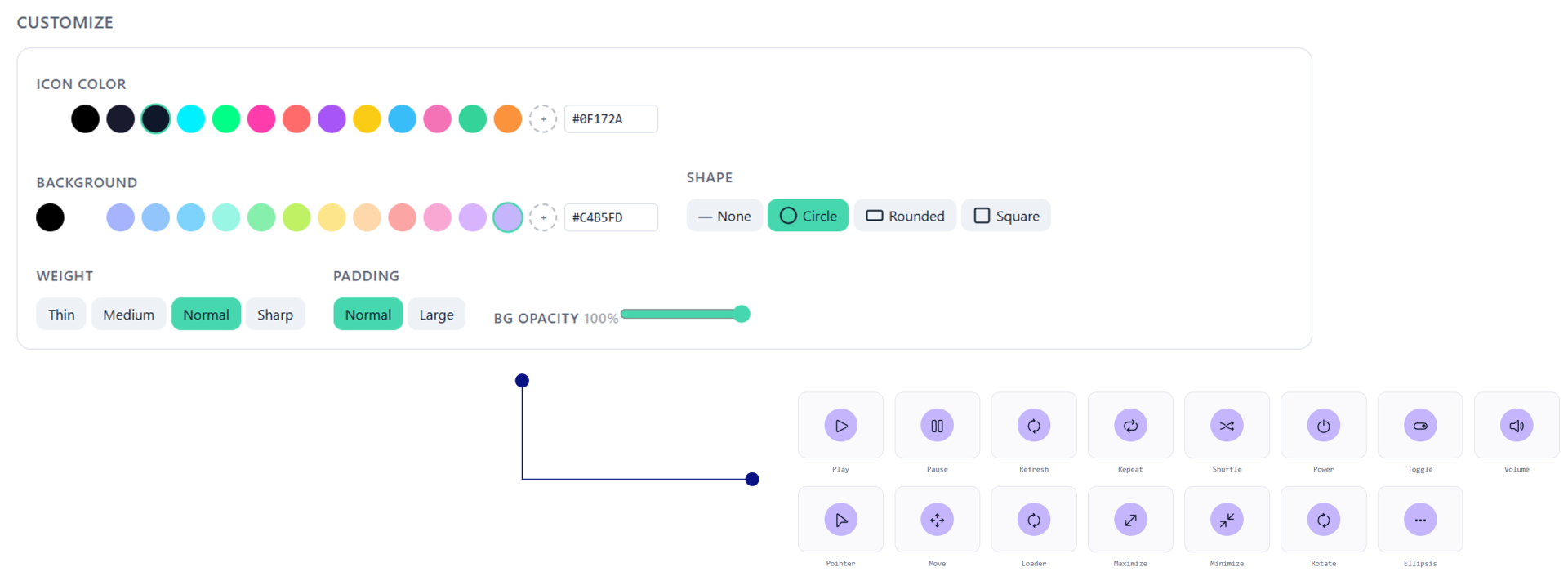
Once you've chosen a style, the next step is adapting it to your need. Rather than opening another design application, Icons Studio lets you customize each icon directly in your browser. Change the icon colour, background colour, shape, padding, weight, and other settings until it matches your report or brand identity.
Every change is previewed instantly, so you can see exactly how the final icon will look before downloading it.
Download and start building
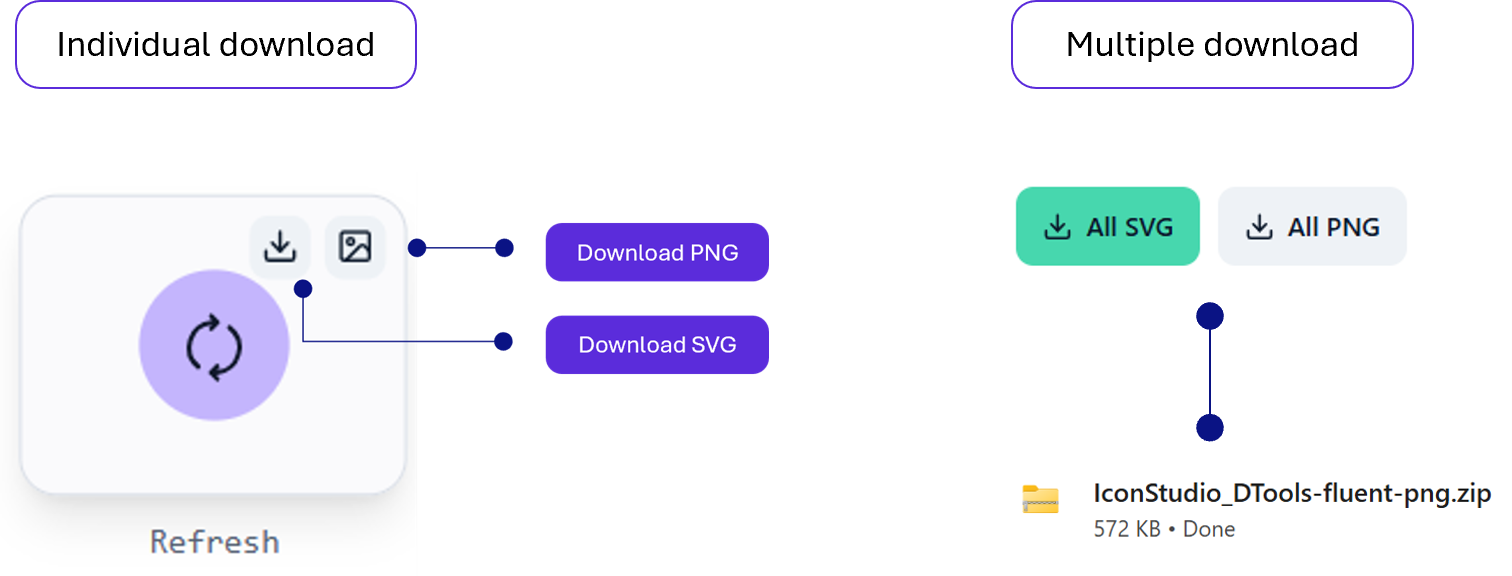
When your icons are ready, download them as SVG or PNG, depending on your project need.
Need multiple icons? Select everything you need and download them together as a ZIP file, ready to drop into your reports, dashboards, presentations, or other analytical content.
Built for anyone creating reports - Icons Studio was designed with reporting in mind, but it isn't tied to a single platform. Whether you're building dashboards in Power BI, Tableau, Fabric, Excel, Looker Studio, or creating presentations in PowerPoint, the workflow stays the same.

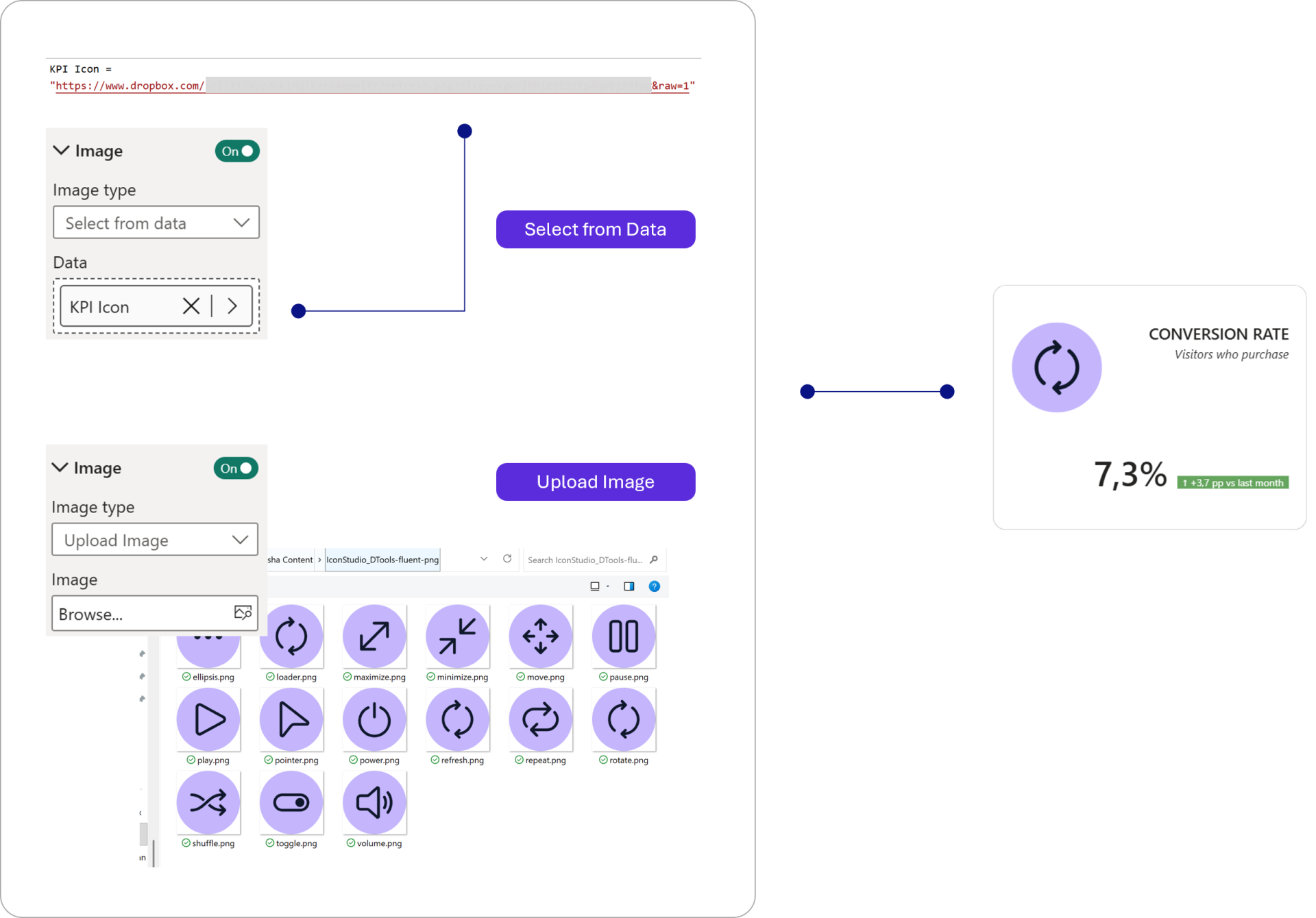
Adding it to your reports - Below is an example of how I would add it in a Power BI report. I can either choose from the files, or I can use the location to my measure and add it, as per my requirement.
Icons Studio removes one of the repetitive tasks that comes with creating reports - That means less time searching, editing, and tweaking Icons, and more time focusing on what really matters: building reports that communicate information clearly.
Hope you like it!
Give it a try and see how it works for you! I’d love to hear what you think or see how this works on your own reports.