
I tested Fabric ontology against Claude
Microsoft says Fabric ontology gives AI agents the business context they need to answer questions correctly. My first reaction was: can't Claude already do that if I give it my data? So I built a retail dataset, generated an ontology from it, and asked both the same three questions. Then I checked every answer against the raw CSV files.
Oct 9
/
datatraining
The dataset is a made-up electronics chain called TechMart, with six physical stores plus an online store. It has customers, orders, support tickets and daily footfall from store sensors.
What is ontology?
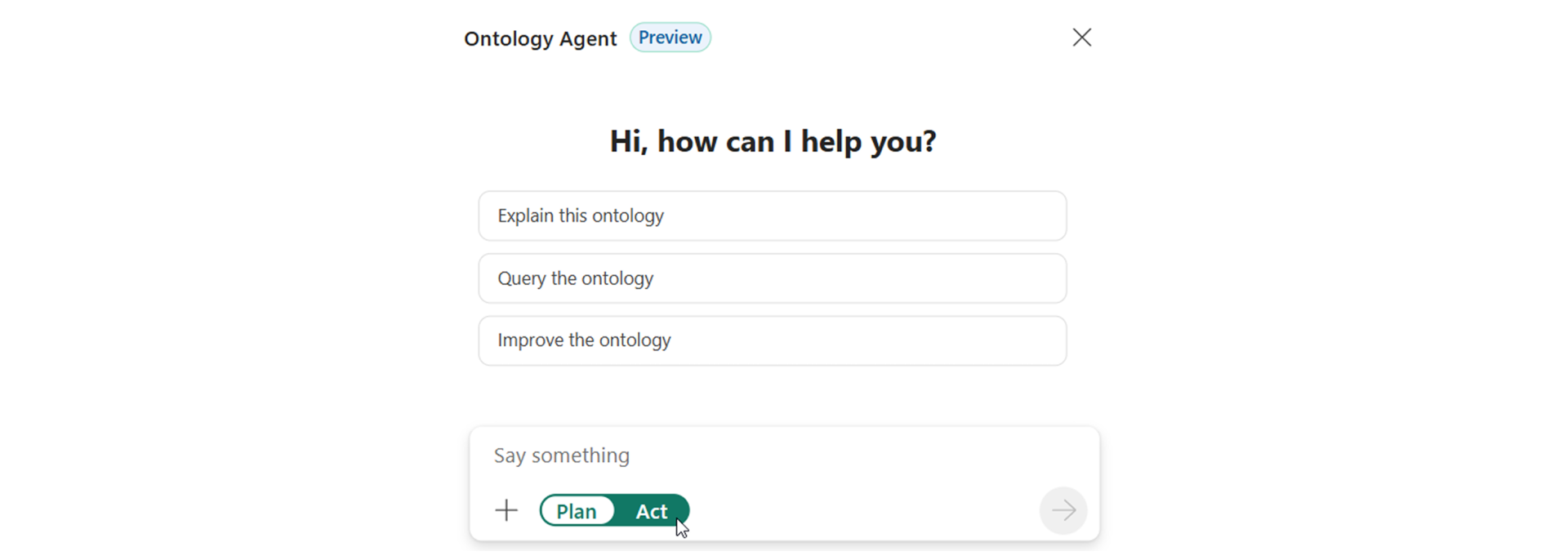
Ontology (preview) is a new item in Fabric IQ. It describes your business in terms that people and AI agents read the same way: what a customer, an order or a store is, how they connect, which rules apply and which metrics count. Then it binds those definitions to your real tables.
It's built from a few pieces:
- Entity types are business concepts like Customer or Store. They're close to a Power BI table, but they aren't tied to one physical table.
- Properties are attributes of an entity, like a customer's email.
- Relationships connect entities, for example Customer places Order.
- Metrics come from your semantic model's DAX measures in the preview. The formula stays in the model, and the ontology keeps a pointer to it plus the business context.
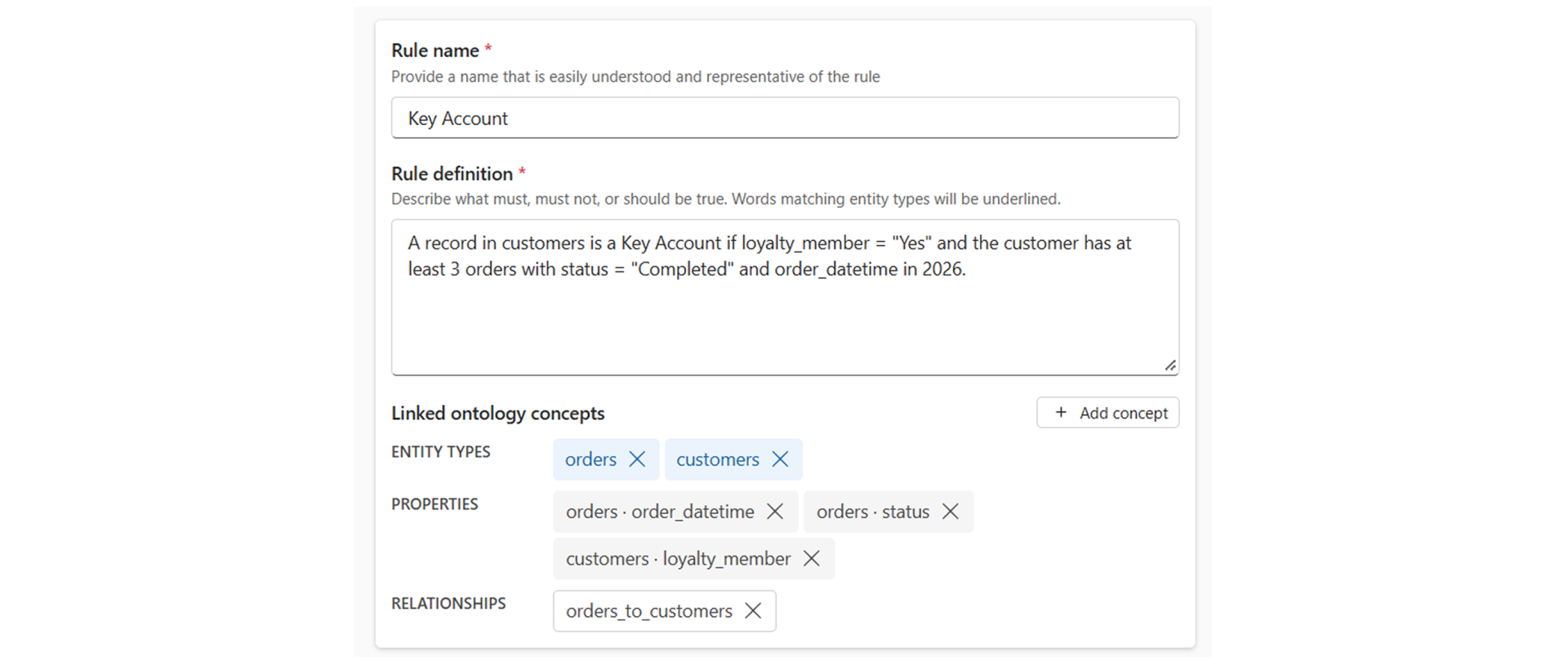
- Rules are business logic written in plain language and attached to an entity, such as "a VIP customer spends more than 10,000 a year".
- Data bindings link each definition to its source.
Ontology doesn't store a copy of your data. Agents and dashboards query the source directly, so RLS, OLS, CLS and OneLake security keep working.
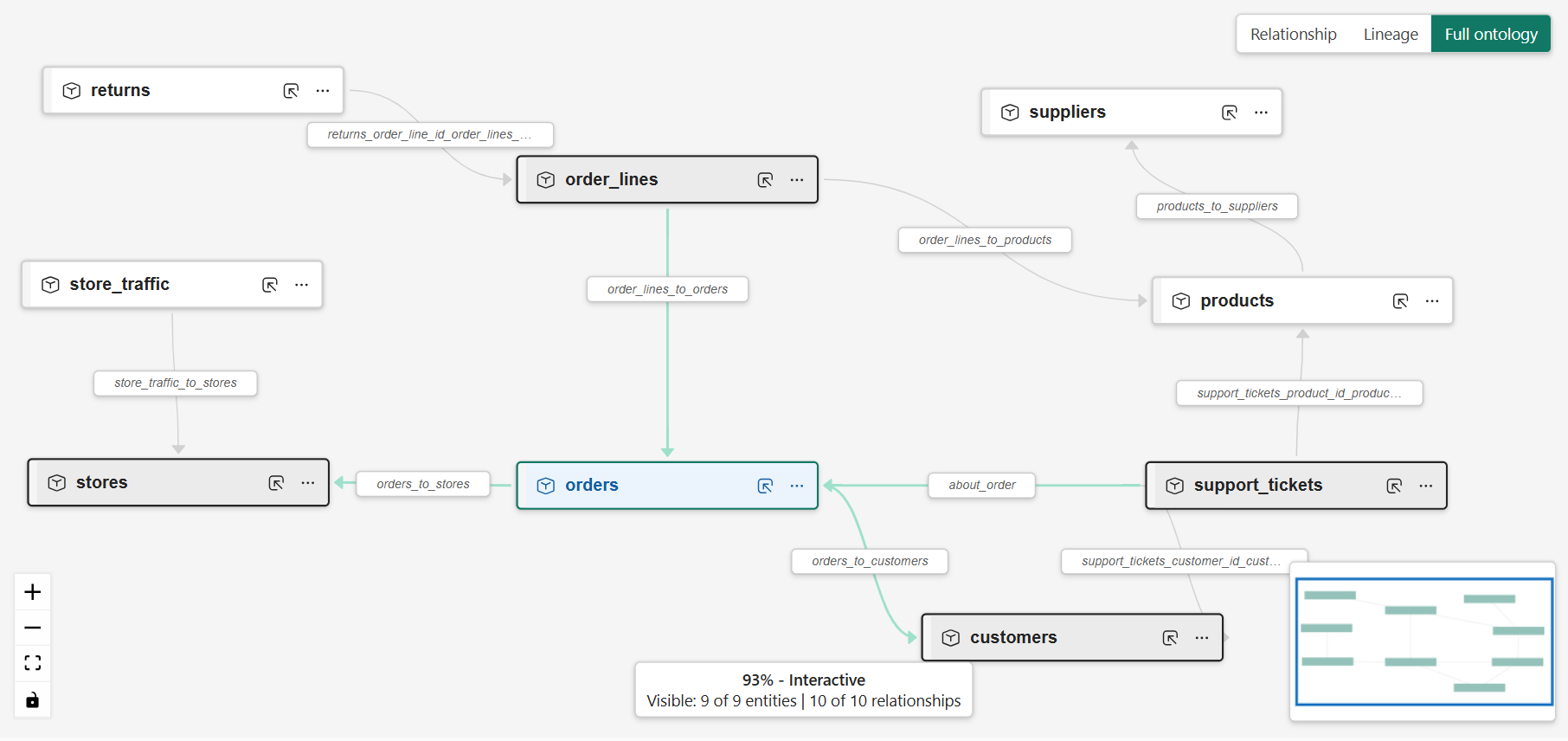
Each ontology also comes with an ontology agent, a chat where you can ask questions or ask it to change the ontology. It has two modes. In Plan mode, the default, it can explore, answer questions and draft changes, but it can't change anything. In Act mode it applies changes. The usual way to work is to let it draft a plan in Plan mode, check it, then switch to Act mode and tell it to apply the plan. Either way, it can only do what your own permissions allow.
Generating it from a semantic model
Before you start, check three things. The workspace has to run on Fabric capacity, because Pro or PPU isn't enough. Your tenant admin has to turn on "Users can create ontology (preview) items" and "Users can create Fabric items". And you need both Read and Build permission on the semantic model,for creating the ontology and for querying it later.
- Open the workspace that holds your semantic model.
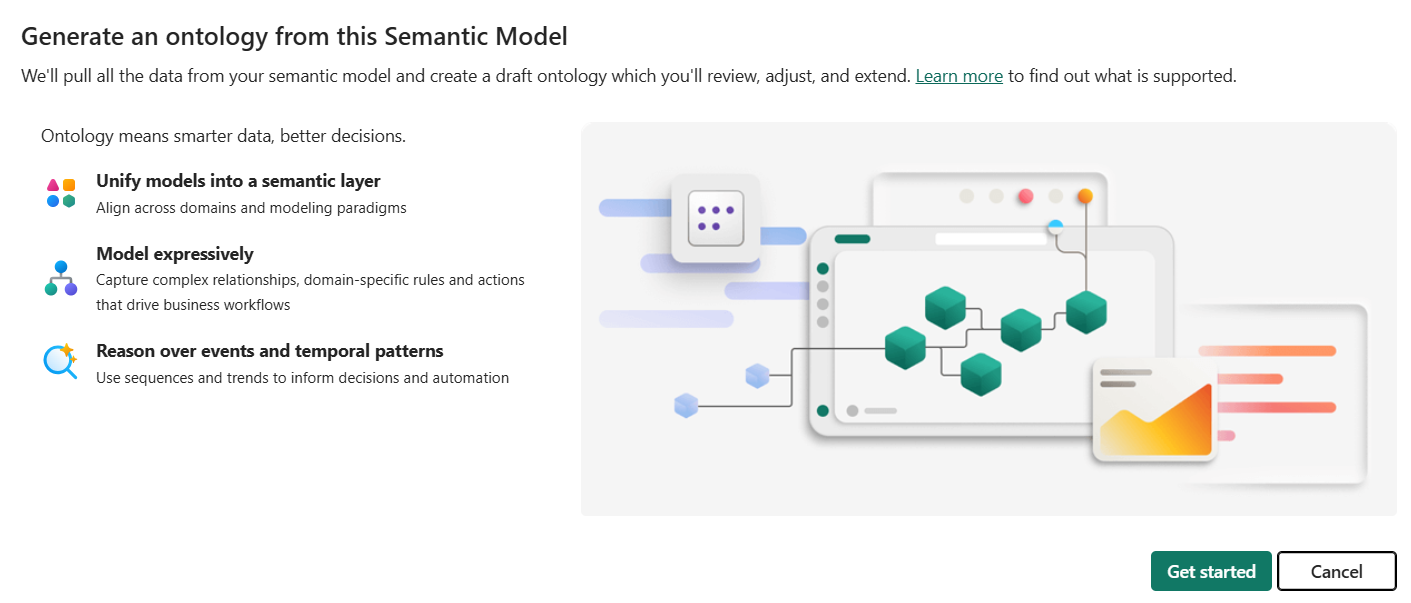
- Click Generate Ontology on the model's ribbon. It shows whether the model is open or not. If you can't find it, look in the "..." menu.
- Give it a name and click Create. Tables become entity types, columns become properties with bindings, model relationships become relationship types and DAX measures become metrics.
To add more semantic models, you currently have to go through the ontology agent in Act mode and ask it in plain language which models to use. It merges overlapping tables, like a Customer table that exists in two models, and tells you what it did. Check afterwards that it didn't create duplicates.
The result is only as good as the semantic model behind it. Clear table and measure names, descriptions, correct relationships and hidden technical columns will save you most of the cleanup.
Test 1: a business rule
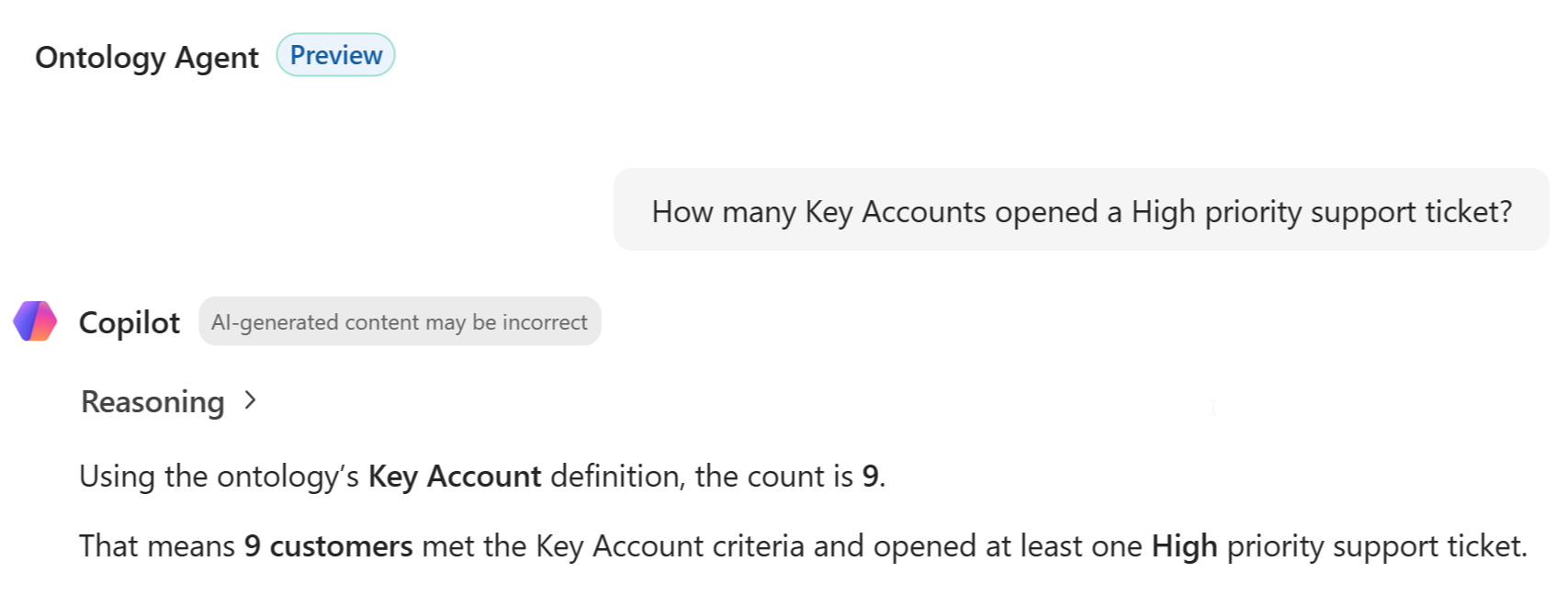
The first test used a business definition: what counts as a Key Account. That's the kind of rule that lives in someone's head, so the data alone can't answer it.
I wrote the Key Account rule into the ontology myself. From that point it's part of the organization's shared definitions, so every question, every agent and every colleague using this ontology applies the same rule without being told again.
Claude had no rule to go on. It asked me "How should a Key Account be defined?" and offered a few likely options. I picked "Loyalty program members", which sounded reasonable but wasn't the definition the business actually uses, so the answer built on it was off. The guess was sensible, it just wasn't ours, and in a new conversation I'd have to answer the same question again and could pick differently.
Ontology Agent:
Ontology Agent:
Claude:
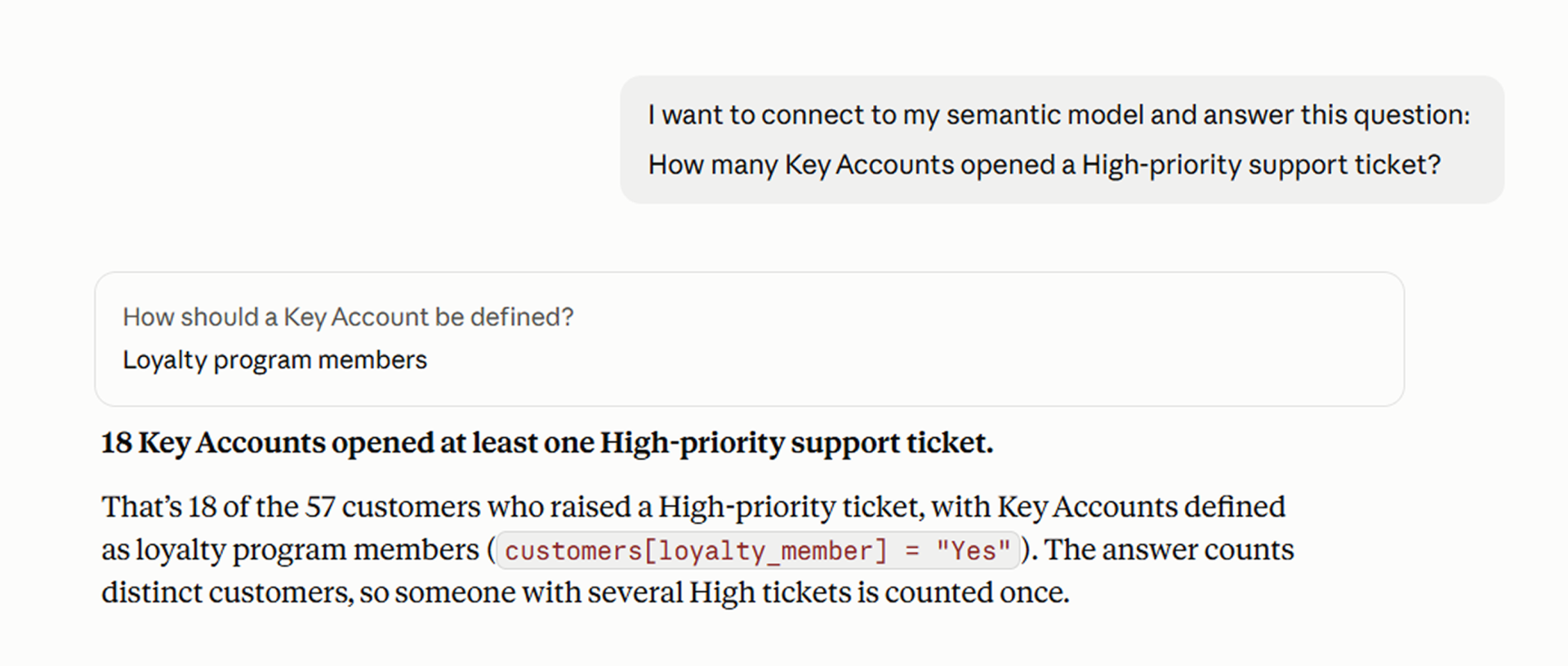
Ontology won this one clearly.
Test 2: following relationships
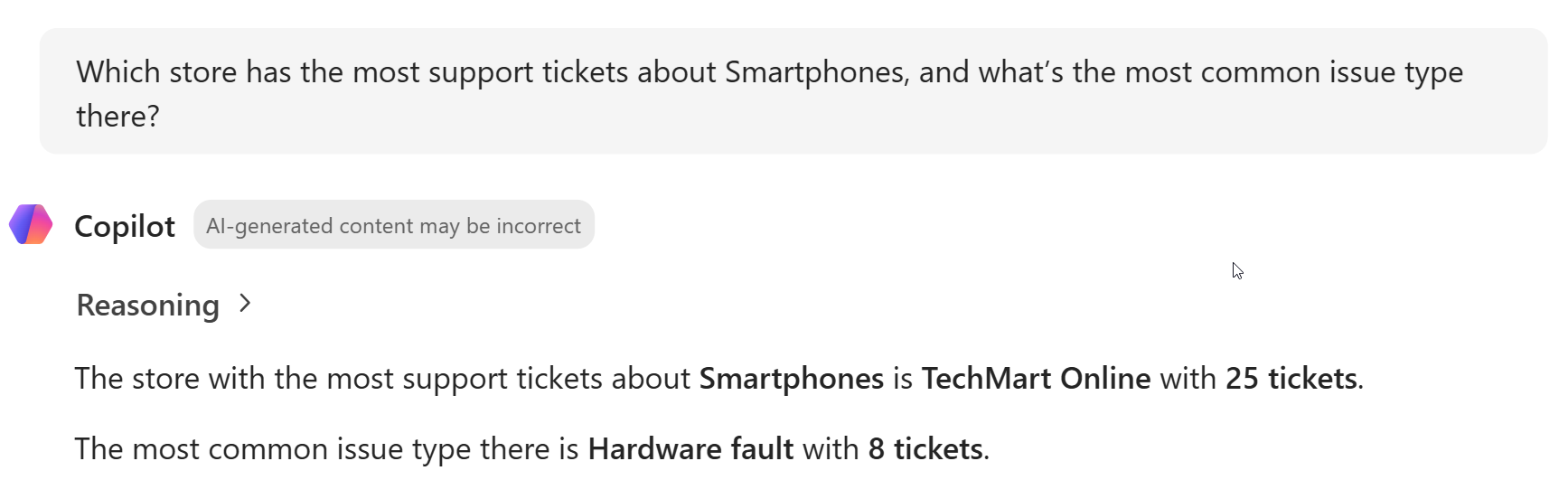
I asked which stores had the most support tickets about smartphones. In the semantic model, the relationship I'd expect a query to use here was inactive, so I set this one up as a trap. The correct path goes from ticket to order to store.
Ontology Agent:
Claude:
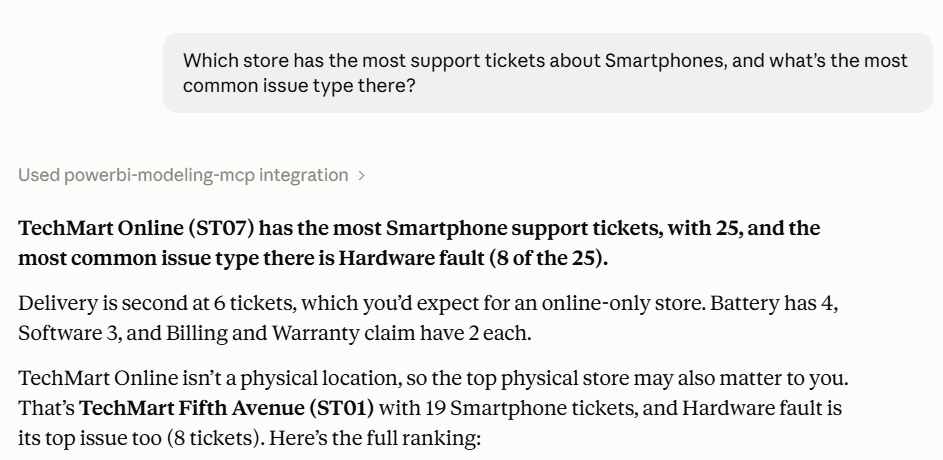
Both got it right. TechMart Online had 25 tickets (8 hardware faults, 6 delivery, 4 battery, 3 software, 2 billing, 2 warranty), Fifth Avenue had 19, Shibuya 13, Alexanderplatz 12, Dubai Mall 5, and Oxford and Paulista 4 each. All 82 tickets linked to an order, so none got lost along the way.
The trap never fired for the ontology, because it had generated about_order as a normal relationship. Claude spotted the inactive relationship and went through orders instead.
The ontology gave a short, correct answer. Claude gave the full ranking and ticket types per store, and added caveats: Online isn't a physical store, "store" could mean where you bought or where you asked for support, and the counts aren't adjusted for sales volume.
Ontology showed no advantage in this test. Claude's answer was more analytical, but a short correct answer is sometimes exactly what you want.
Test 3: a trend over time
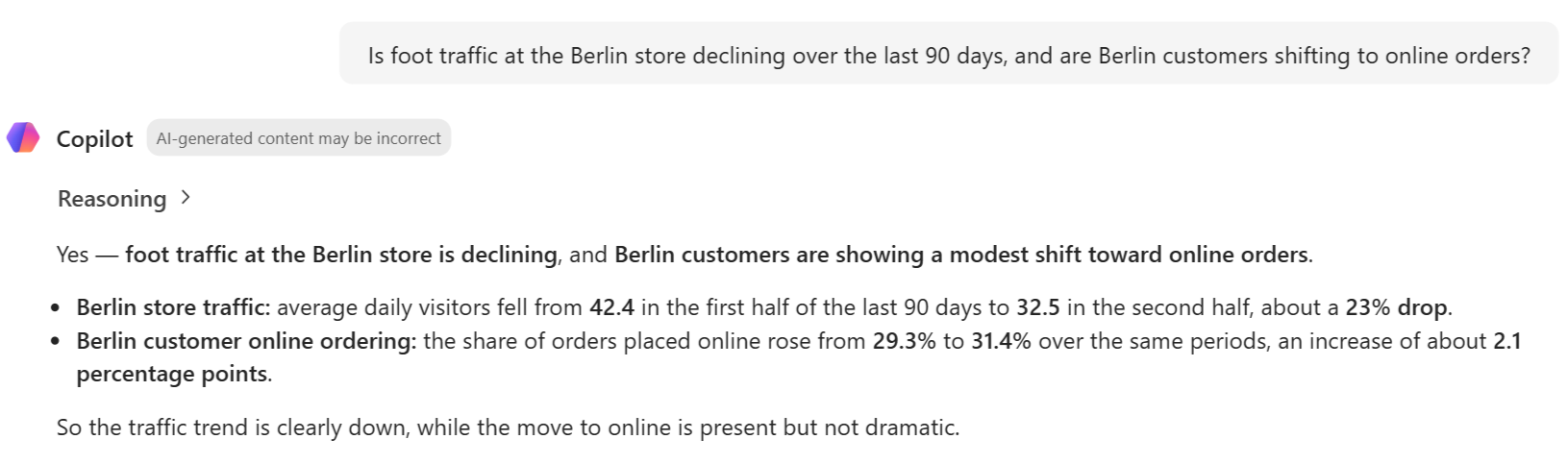
I asked: "Is foot traffic at the Berlin store declining over the last 90 days, and are Berlin customers shifting to online orders?" That's really two questions. Are fewer people walking into the Berlin store? And are Berlin customers buying online instead?
Ontology Agent:
Ontology Agent:
Claude:
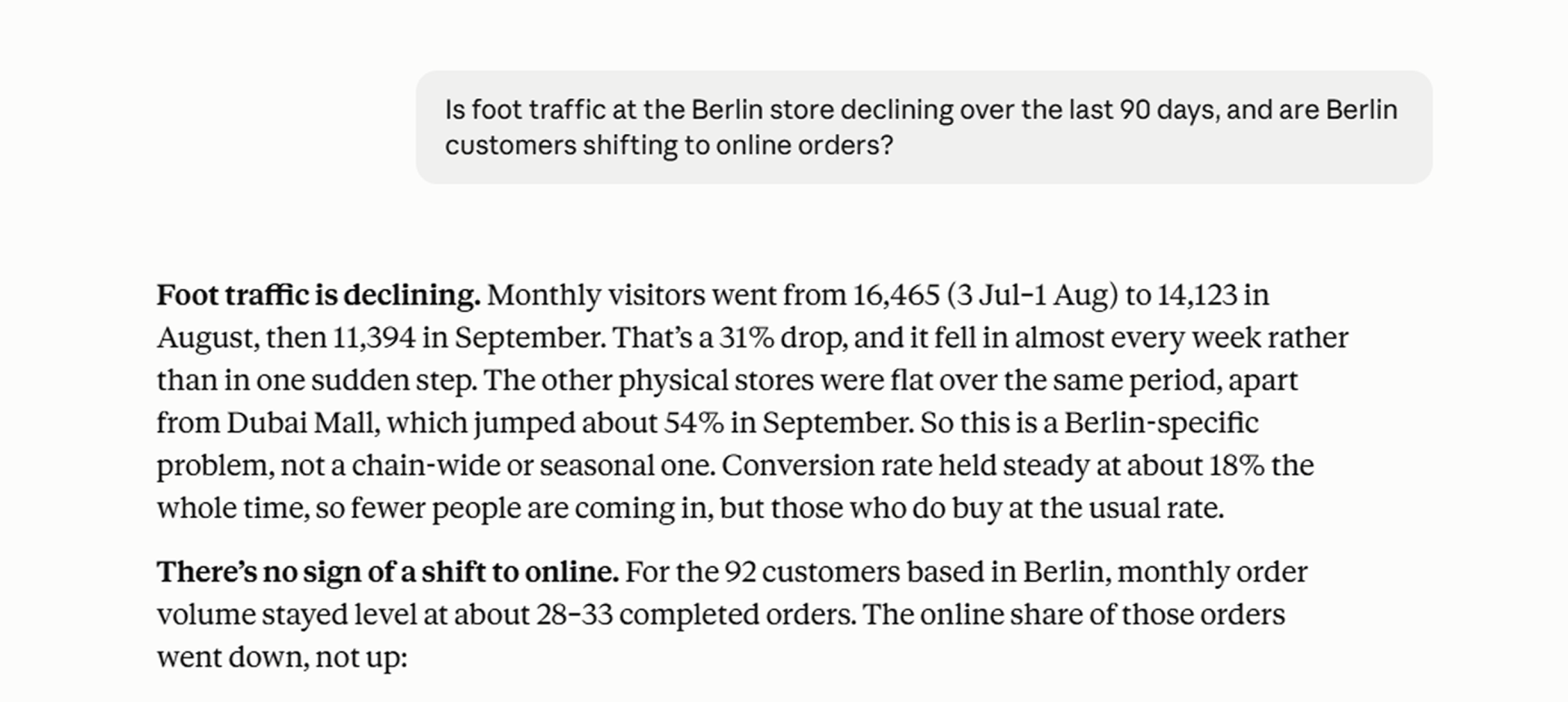
Fewer visitors? Both said yes, and both were right.
Berlin had 15,857 visitors in July, 14,731 in August and 11,394 in September. Both answers saw the drop. Claude also noticed that the other stores stayed flat, and that people who did come in still bought at the usual rate of about 18%. So fewer people were coming, but the ones who came behaved the same.
Each answer had one small mistake. The ontology said average daily visitors fell from 42.4 to 32.5. The size of the drop was right, but those are visitors per hour. Per day it was 532 falling to 401. Claude said Dubai Mall jumped 54% in September, but that wasn't growth. I had built a summer dip into Dubai's data, and September was just Dubai going back to normal.
Claude also noticed something odd: the Berlin store has thousands of visitors a month but only about 10 recorded orders. It said the orders table probably doesn't include every buyer.
Buying online instead? Both said no, and both were wrong.
The ontology saw a small shift, from 29% to 31% of orders online. Claude saw none. In reality Berlin customers moved online fast:
| Period | Assigned to the online store (the real picture) | Marked Online in the channel column (what both answers used) |
| 2025 | about 28% | about 28% |
| 2026 Q1 | 43% | 31% |
| 2026 Q2 | 64% | 29% |
| 2026 Q3 | 64% | 31% |
Why did both miss it? Every order has two columns that should agree: which store it belongs to, and how it was placed. Claude generated my test data, and when it moved some Berlin orders to the online store, it forgot to change how they were placed. So 79 orders say "online store" in one column and "In-store" in the other. Both answers trusted the second column, and that column hides the shift.
Claude even had a hint. It said the Berlin store gets 9 to 13 orders a month and called that normal for 2026. In 2025 it was about 25 a month, so half the orders had disappeared. A quick look at last year would have shown it.
Results across the three tests
Results across the three tests
| Test | Ontology | Claude |
| 1. Business rule | Won, the rule is stored once | Depended on a definition each time |
| 2. Relationships | Correct | Correct, with more context |
| 3. Trend over time | Wrong unit, missed the online shift | Deeper analysis, missed the online shift |
What ontology does well is keep definitions in one place, so every agent and every user means the same thing by "VIP customer" or "revenue". It doesn't make the analysis smarter. Claude was better at reading the numbers and saying where they might be wrong. I'd use them together: the ontology holds what things mean, and the agent checks what the data is actually saying.
My test was small: one semantic model, one person asking questions, and I knew every table. That's the setup where ontology helps the least. It pays off in a large organization where sales, support and finance each keep their own customer or order table, with different column names and slightly different definitions. You can bring those semantic models into one ontology and map each department's table to the same Customer entity. From then on, every agent and every report uses one definition instead of guessing which table is the right one. Without that layer, Claude has to work out the mapping again in every conversation.
Test 3 also showed the limit of both. If two columns contradict each other, no definition layer and no agent will give you the right answer. Clean up the data and the semantic model first.
Hope you like it!
If you've tested ontology on your own models, I'd love to hear what you found.
How to Power BI
Watch it here

COMPANY
Write your awesome label here.
Embedding Power BI in Power Point
Intro Session